
Quick Answer
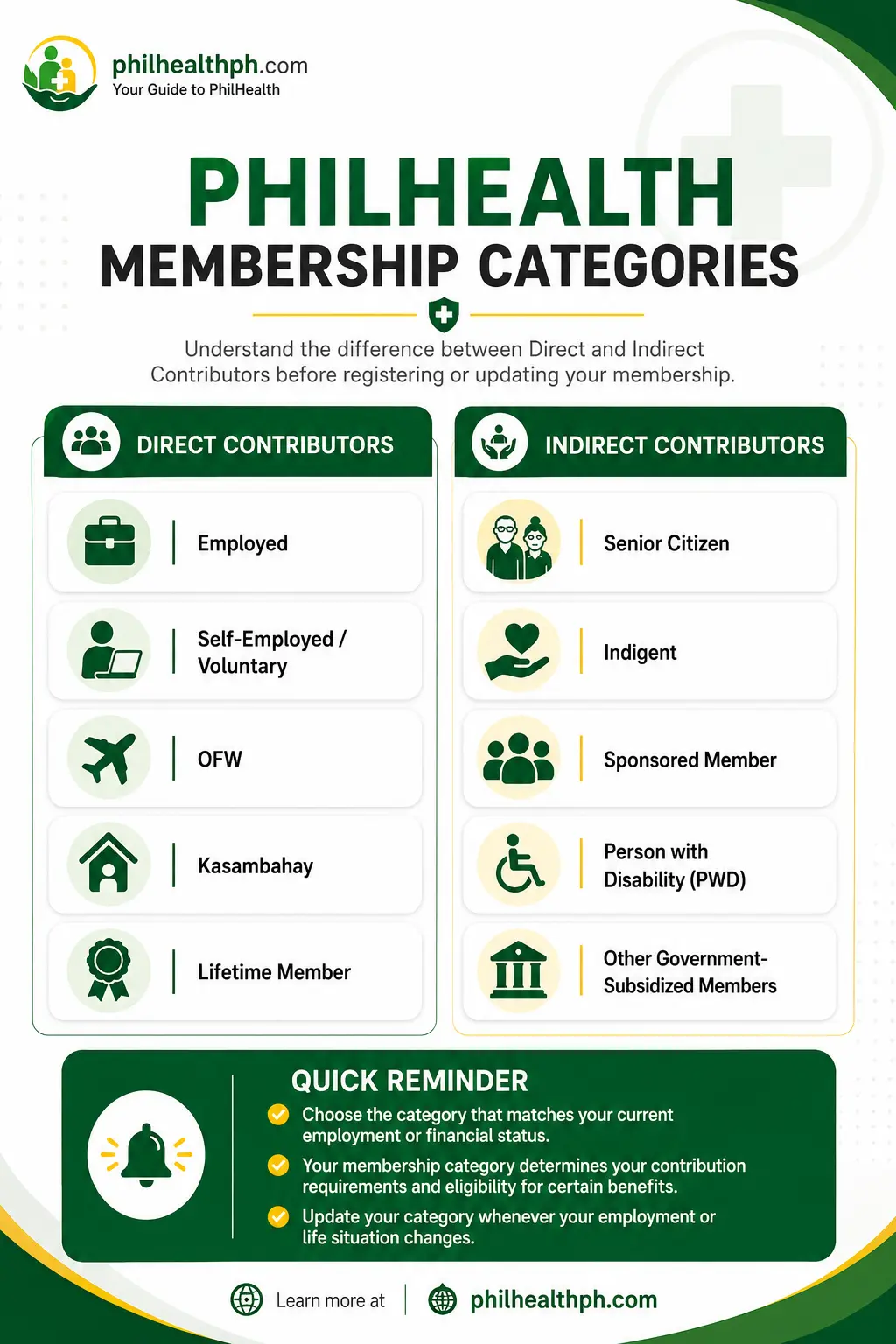
PhilHealth membership legally falls under two broad categories since the Universal Health Care Act took effect: Direct Contributors, who pay premiums themselves or through an employer, and Indirect Contributors, whose premiums are subsidized by the government. On the registration form, though, you’ll still select a more specific category, such as Employed, Self-Earning/Voluntary, OFW, Kasambahay, Senior Citizen, Sponsored, Indigent, or Lifetime Member.
Most confusion around this keyword comes from people filling out the PhilHealth Member Registration Form (PMRF) without knowing which specific box matches their situation. This article breaks down both the legal framework and the practical categories you’ll actually encounter, so you can select the right one the first time.
The Two Legal Categories Under the UHC Act
Under Republic Act 11223, the Universal Health Care Act, every PhilHealth member falls under either Direct Contributors or Indirect Contributors. This replaced the older, more fragmented classification system with a simpler two-bucket structure, even though the specific category names from before are still used on forms and in PhilHealth’s own statistics.
Direct Contributors include formal economy employees in government and private companies, self-earning individuals and voluntary members, migrant workers or OFWs, professional practitioners, and lifetime members. These members pay their own premiums, whether through payroll deduction or as a voluntary contributor.
Indirect Contributors include indigents listed under the DSWD’s Listahanan or NHTS-PR, senior citizens covered under Republic Act 10645, persons with disability under Republic Act 11228, and sponsored members whose contributions are covered by an LGU, national government program, or private sponsor. Every Filipino who isn’t a Direct Contributor is automatically considered an Indirect Contributor under the law, meaning coverage genuinely extends to the entire population regardless of income.
Want to know the documents required for each membership type? See complete guide to PhilHealth requirements by Member Type.
The Categories You’ll Actually See on the PMRF
When you sit down to fill out the PhilHealth Member Registration Form, you’ll choose from a more specific list rather than simply ticking “Direct” or “Indirect.” The most common options are Employed, Self-Employed/Voluntary, OFW, Kasambahay or Family Driver, Senior Citizen, Lifetime Member, Sponsored Member, and Indigent.
|
PMRF Category |
Who It’s For |
|---|---|
|
Employed |
Government or private employees with an employer-employee relationship |
|
Self-Employed/Voluntary |
Freelancers, business owners, professionals without an employer |
|
OFW |
Filipinos working abroad, documented or undocumented |
|
Kasambahay/Family Driver |
Household helpers and personal drivers, with contributions often shouldered by the employer |
|
Senior Citizen |
Filipinos aged 60 and above, automatically covered and premium-free |
|
Lifetime Member |
Retirees who completed at least 120 monthly contributions |
|
Sponsored |
Members whose premiums are paid by an LGU, legislator, or other sponsor |
|
Indigent |
Members identified through the DSWD’s means-tested list |
These categories map onto the two legal buckets above, but knowing the specific PMRF label matters more day-to-day, since it determines your contribution rate and required documents.
Which Category Should You Select?
Select the category that matches your current employment or income situation, not your past one, since PhilHealth bases your contribution schedule and required documents on your present status. A fresh graduate who just started a job selects “Employed,” while the same graduate freelancing while job hunting selects “Self-Employed/Voluntary” instead.
Call center agents, teachers, and other formally employed workers all fall under “Employed,” regardless of industry, since the deciding factor is the employer-employee relationship rather than the type of work. Professionals like doctors or lawyers running their own practice typically select “Self-Employed/Voluntary,” since they don’t have an employer remitting on their behalf.
What to Put If You’re Unemployed
If you’re currently unemployed, you generally register or update your status to “Self-Employed/Voluntary,” since PhilHealth doesn’t have a standalone “unemployed” checkbox on the PMRF. Coverage as a non-working spouse under an actively contributing husband or wife is also an option, letting you skip separate registration altogether.
If you’re between jobs and expect to be re-employed soon, some members remain listed under Voluntary in the meantime, paying based on declared income, rather than leaving their record inactive. This keeps coverage continuous instead of lapsing during the gap.
How to Change Your Membership Category
Download the current PMRF from PhilHealth’s official website rather than using an old saved copy.
Tick the “For Updating/Amendment” box, not the registration box, since you’re changing an existing record.
Select your new membership category, filling in the corresponding details, such as your employer’s PEN if you’re moving to Employed, or your declared income if moving to Voluntary.
Attach the required supporting document for your new category.
Submit the form to your nearest LHIO in person, or by email to your regional office if a walk-in isn’t practical.
Request your updated MDR, confirming the new category now reflects correctly.
There’s no dedicated online self-service button yet for changing your category through the Member Portal, so submitting the PMRF by email or in person remains the standard route.
Requirements for Changing Categories
Moving from Employed to Voluntary typically requires proof that your employment ended, such as a certificate of separation, along with your declared monthly income for the new computation. Moving from Voluntary to Employed requires your new employer’s PhilHealth Employer Number (PEN). Registering as an OFW requires proof of overseas employment, such as an OEC or valid work contract, while registering as a Senior Citizen simply requires your Senior Citizen ID and a valid government ID.
Timeline: How Long Does an Update Take?
Walk-in category updates at an LHIO are typically processed the same day, with your updated MDR printed on the spot once your documents are verified. Updates submitted by email generally take a few working days, since staff need to review scanned documents without you present to clarify anything on the spot.
Missing a single required document, such as the PEN for a new employer or proof of separation from a previous one, is the most common reason a category change takes longer than expected. Preparing everything before your visit, rather than assuming staff will accept an incomplete submission, keeps the process moving.
Common Mistakes When Selecting a Category
Troubleshooting
If your category update doesn’t reflect correctly on your MDR, or a claim gets flagged because your listed category doesn’t match your actual status, ask the LHIO or your regional office to review your latest submission. Common causes include a missing supporting document, an outdated PMRF version, or a data entry issue during processing.
If unresolved at the branch level, PhilHealth’s Corporate Action Center can look into the specific record, so keep a copy of your submitted PMRF and any reference number on hand.
Tips
Update your membership category as soon as your employment status changes, rather than waiting until you need a benefit and discover your record is outdated. Keep a saved, current copy of the PMRF on hand, since PhilHealth periodically revises the form.
If you’re unsure which category fits your situation, asking directly at your nearest LHIO is faster than guessing based on an old article. Review your MDR once a year to confirm your listed category still matches your actual status.
Frequently Asked Questions

I’m Dayon, and I run PhilHealthPH.com. I got tired of confusing, outdated instructions every time I had to deal with PhilHealth online, so I started writing the guides I wished existed — clear, current, and focused on actually getting the task done. Everything here is checked against PhilHealth’s official site and updated whenever their process changes.