What Does It Mean to Be a PhilHealth Employer?
A PhilHealth employer is any business, agency, or individual that hires staff and is legally required to register with the Philippine Health Insurance Corporation so those employees can receive health insurance coverage. Once registered, the employer takes on the job of deducting each worker’s contribution share from their salary, adding the employer’s own counterpart, and remitting both amounts to PhilHealth every month.
This isn’t optional paperwork; it’s a legal obligation under the National Health Insurance Act, and skipping it puts both the business and its employees at risk. Employees can’t access hospitalization benefits, maternity claims, or outpatient packages properly if their employer’s registration and remittance records aren’t in order.
Many first-time business owners underestimate how much this responsibility involves, assuming it ends once the company gets its PhilHealth Employer Number. In practice, employer compliance is ongoing: reporting new hires, removing separated staff, updating company details, meeting monthly deadlines, and keeping records accurate enough to survive an audit. Getting a clear picture of the entire process from day one saves a lot of back-and-forth with PhilHealth branches later.
Who Needs to Register as a PhilHealth Employer?
Any government agency or private business with at least one employee, including household employers of a kasambahay, must register with PhilHealth and secure a PhilHealth Employer Number.
This requirement applies regardless of company size or industry. A small sari-sari store with a single part-time helper, a growing BPO with hundreds of agents, and a government office all fall under the same rule. Even a freelancer or professional who hires just one assistant is considered an employer in PhilHealth’s eyes and needs to register accordingly. Household employers who hire a kasambahay also need a PEN, since the Kasambahay Law places the same reporting responsibility on them as it does on corporate employers.
PhilHealth Employer Registration Requirements
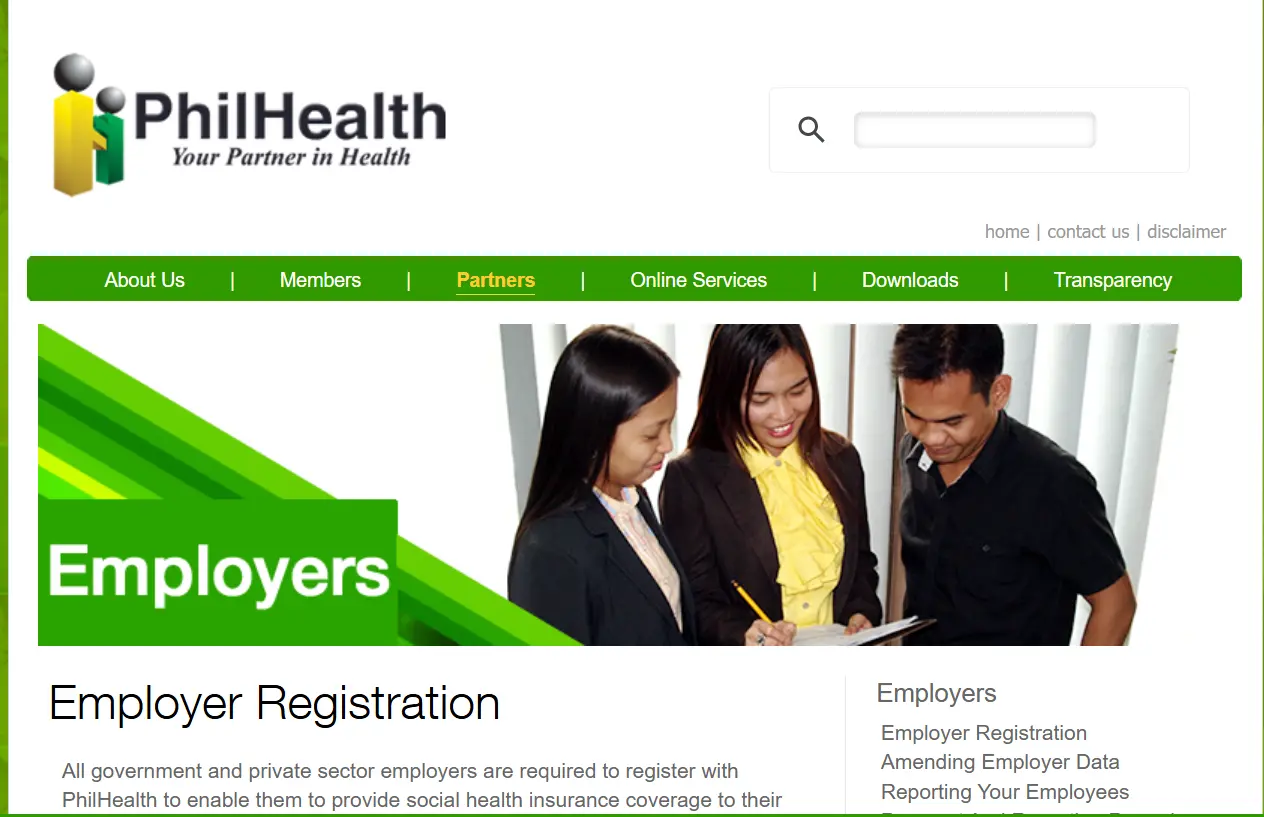
Before heading to a PhilHealth branch or starting the online process, employers should prepare these documents in advance to avoid multiple trips.
|
Document |
Purpose |
|
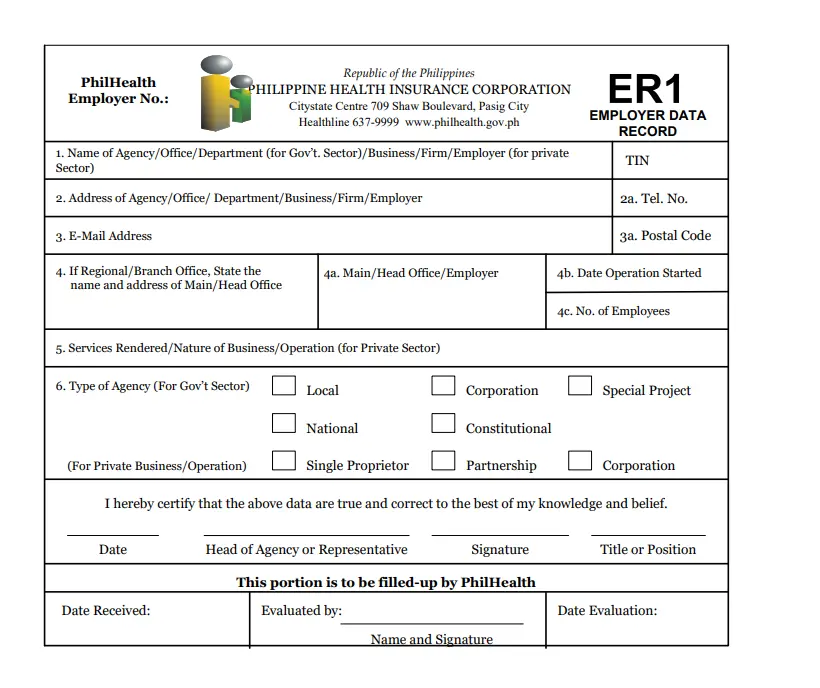
Employer’s PhilHealth Membership Registration Form (PMRF) or ER1 Form |
Main application form with company details |
|
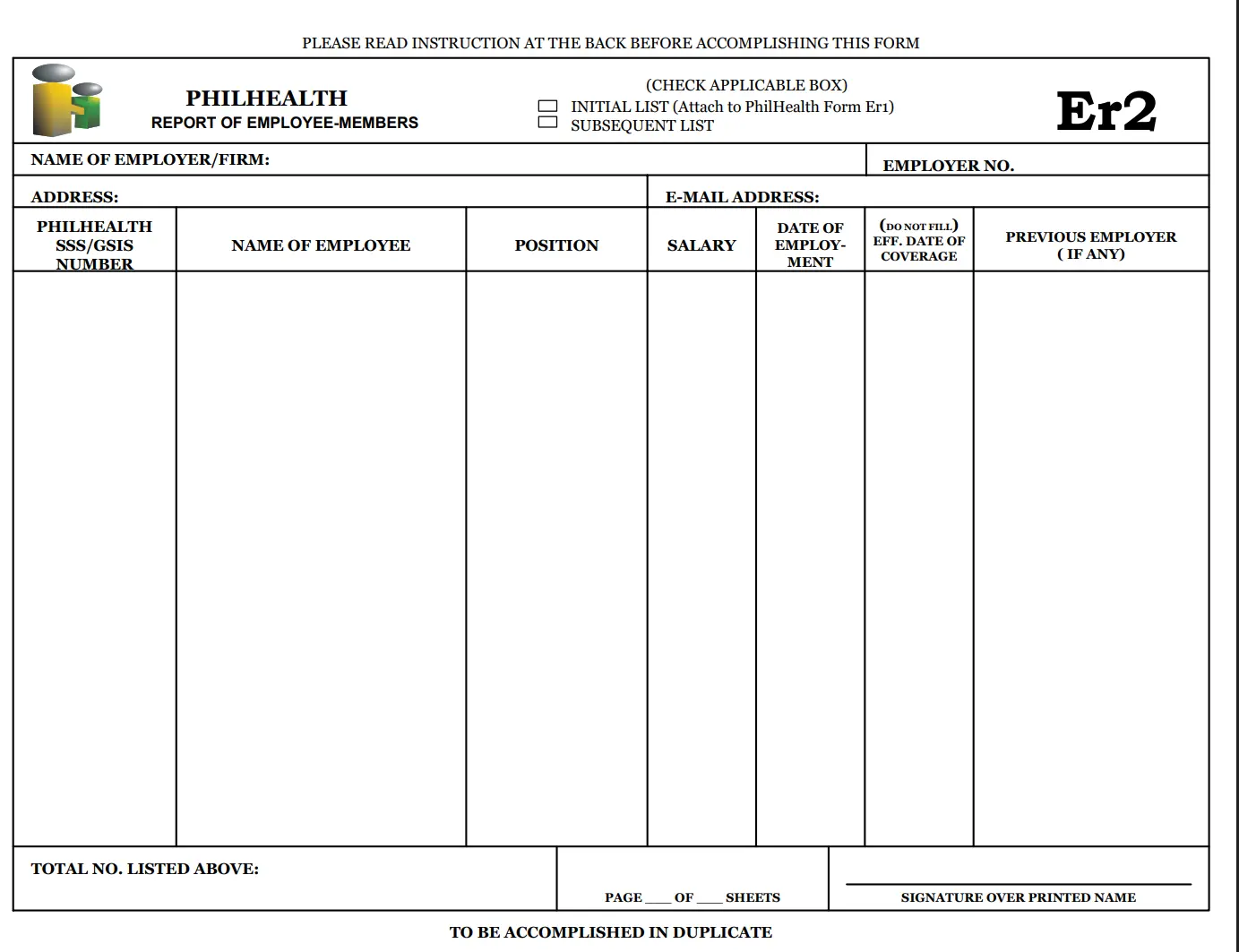
ER2 Form (Report of Employee-Members) |
Lists employees to be enrolled under the employer |
|
DTI Certificate of Registration (for sole proprietors) |
Proves the business is legally registered |
|
SEC Certificate of Incorporation (for corporations/partnerships) |
Confirms legal business structure |
|
Mayor’s Permit or Business Permit |
Shows local government authorization to operate |
|
Tax Identification Number (TIN) |
Required for identification and cross-checking with BIR |
|
Valid ID of the authorized company representative |
Confirms who is submitting the registration |
|
PhilHealth Online Access Form (POAF 001) |
Requests EPRS login credentials for online transactions |
Requirements can vary slightly depending on whether the business is a sole proprietorship, partnership, corporation, or household employer, so it helps to call the servicing branch beforehand and confirm the exact checklist for your business type.
How to Register as a PhilHealth Employer (Step-by-Step)
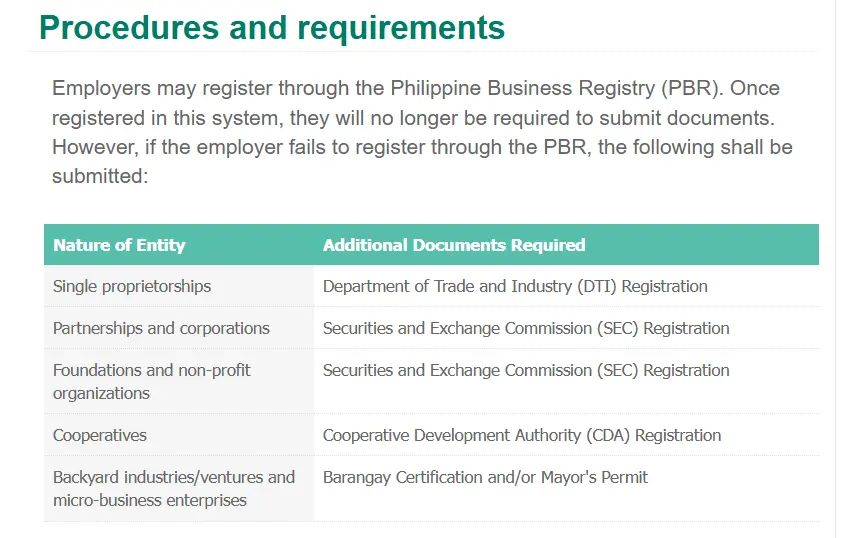
Employers register by completing the ER1 and ER2 forms along with supporting business documents, submitting them to their nearest PhilHealth office, and waiting for the issuance of a permanent PhilHealth Employer Number.
Here’s how the full process typically unfolds.
Processing time varies by branch and by how complete your documents are on first submission, but most employers can expect their PEN within a few working days to a couple of weeks, while EPRS credentials may take slightly longer since they’re issued through a separate email confirmation.
Understanding Your PhilHealth Employer Number (PEN)
Your PhilHealth Employer Number, or PEN, is the permanent identifier assigned to your business once registration is approved, and you’ll use it for every future transaction, from paying contributions to reporting new employees.
Think of your PEN the same way you’d think of a TIN for tax purposes; it stays with your business for as long as it operates, even if you change addresses or update company details later. If your company already has a PEN from before but you’ve misplaced it, don’t register again from scratch. Instead, contact your servicing PhilHealth branch or check old remittance records, since duplicate registrations create confusing, overlapping employer accounts that are a hassle to untangle later.
How to Access the PhilHealth Employer Portal and EPRS
The Electronic Premium Remittance System, or EPRS, is PhilHealth’s online platform built specifically for employers to manage contributions, generate payment references, and review remittance history without needing to visit a branch every month. Getting access starts with submitting the POAF 001 form, which names your company’s PhilHealth Employer’s Engagement Representative, commonly called the PEER.
This is usually an HR staff member or accountant authorized to handle the account on the company’s behalf. Once PhilHealth processes the request, they’ll email a User ID and temporary password to the address listed on the form, and it’s important to log in and change that password right away for security. If you’re having trouble signing in or accessing your account, follow our complete PhilHealth Portal Login guide for common login issues, password resets, and account access tips.
Inside the EPRS dashboard, employers can generate a Statement of Premium Account, view historical remittances, and prepare monthly payment reports without manually recalculating figures each time. If you’re logging in for the first time, take a few minutes to explore the dashboard layout before your first actual payment cycle, since a wrong entry at this stage can throw off your whole month’s report. Larger companies with several HR staff members sometimes register more than one PEER, which is worth considering if your payroll team handles a high employee volume.
How Employers Pay PhilHealth Contributions
Employers pay PhilHealth contributions by generating a payment reference through EPRS, then settling the amount through accredited banks, payment centers, or online payment channels before the monthly deadline.
The contribution itself follows the standard national premium rate, currently set at 5% of each employee’s monthly basic salary, split equally between employer and employee. For an employee earning ₱25,000 a month, for instance, the total premium comes to ₱1,250, with ₱625 deducted from the employee’s pay and ₱625 shouldered by the company. If you’re unsure how employer and employee shares are calculated or want to see the latest premium table, check complete PhilHealth Contribution guide. Employers typically settle payment through options like:
Whichever channel is used, always keep the official payment confirmation or validated slip, since this becomes your proof of remittance if a discrepancy ever shows up in your employees’ contribution records. Employers who prefer digital payments can also follow our step-by-step guide on Pay PhilHealth Online, which explains how online remittance works through EPRS and accredited payment channels.
PhilHealth Employer Remittance Deadlines
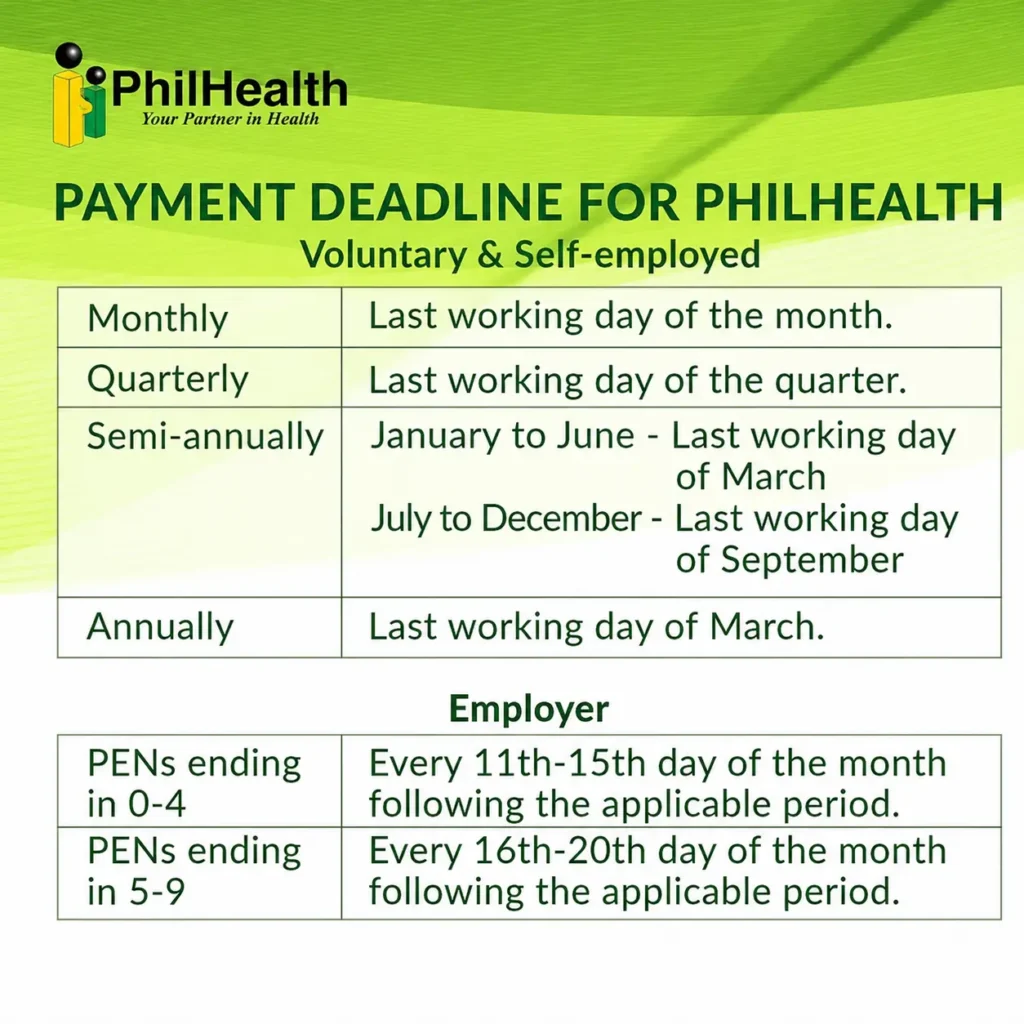
Employers are generally required to remit monthly PhilHealth contributions within the first 20 days of the month following the applicable payroll period.
Missing this window even by a few days triggers interest charges, so it helps to build the remittance date into your regular payroll calendar rather than treating it as an afterthought. Larger companies with multiple payroll cycles sometimes find it easier to prepare the EPRS report a few days before the deadline, leaving buffer time in case of system slowdowns or last-minute employee data corrections. If a deadline falls on a weekend or holiday, payment is usually moved to the next working day, but it’s best to confirm this directly with PhilHealth rather than assume, since exact rules can shift with new circulars.
Reporting Employees: ER2, New Hires, and Separated Staff
Employers must report newly hired employees through the ER2 form within 30 days of their start date, and report separated employees through the RF-1 form within 30 days of their last day.
Keeping this updated matters more than most employers realize, since an outdated employee list can cause confusion when a former staff member later needs to prove active coverage elsewhere, or when a current employee’s contribution history looks incomplete because they were never properly reported. Practical tips for staying on top of this:
Employee Dependents: What Employers Should Know
Employees are entitled to enroll qualified dependents, such as a legal spouse, children, or in some cases parents, under their PhilHealth coverage without any additional premium cost. As an employer, you’re not directly responsible for enrolling dependents, but it helps to remind staff during onboarding that they can update their Member Data Record to add dependents anytime, since many employees simply forget or assume it happens automatically. Encouraging your HR team to include this reminder in new-hire orientation avoids a common situation where an employee’s spouse or child gets denied a benefit simply because they were never listed as a dependent in the system.
How to Update Employer Information
To update employer information such as company address, business name, or authorized representative, submit the appropriate change request form along with supporting documents to your servicing PhilHealth branch.
Common updates employers need to file include a change of business address, a new authorized signatory, updated contact details, or a change in the designated PEER for EPRS access. Bring supporting proof for whatever you’re updating, such as an amended Mayor’s Permit for an address change or a board resolution for a new signatory in a corporation. Processing these updates promptly matters because outdated employer records can delay employee transactions later, especially when a hospital or PhilHealth branch cross-checks employer details during a claim.
Changing Membership Status (Employed to Voluntary or Self-Employed)
A common situation many workers face is transitioning out of employment, whether through resignation, contract end, or starting a business of their own. To change your PhilHealth status from employed to voluntary or self-employed, update your Member Data Record at a PhilHealth branch or through the online portal, indicating your new membership category and current income details.
This update is important because staying registered as “employed” under a company you no longer work for can cause confusion in your contribution record, especially if that employer isn’t remitting anything on your behalf anymore. Once your status changes to voluntary or self-employed, you become responsible for paying your own premium going forward, based on your declared income rather than a payslip. It’s worth doing this update as soon as possible after leaving a job, since a lingering gap between employment types is one of the more common reasons members find unexplained missing months when checking their contribution history later.
Unpaid Contributions and Employer Penalties
Employers who fail to remit contributions on time face a 3% monthly compounded interest charge on the unpaid amount, along with possible legal action for continued non-compliance.
This penalty applies whether the delay comes from an oversight or a deliberate decision to withhold remittance, and PhilHealth treats failure to remit deducted employee contributions as a serious violation since that money technically belongs to the employee’s record, not the company.
In 2026, however, the national government directed PhilHealth to roll out
a one-time interest
waiver covering missed
employer contributions dating
from July 2013
through December 2024.
Employers settling their backlog within one month under this program can qualify for a full waiver of interest, while a two-to-six-month payment term carries a reduced 1% interest rate, and a seven-to-twelve-month term carries 2% instead of the usual 3% monthly compounding.
This waiver only covers the interest itself, not the original unpaid premium, and employers must register affected employees under the Yaman ng Kalusugan Program and complete a first patient encounter as part of the requirements. If your business has old unpaid balances, this program is worth looking into directly with your assigned PhilHealth Accounts Information Management Specialist before the settlement window closes.
Common Mistakes Employers Make
Even organized HR teams run into avoidable issues that create compliance headaches down the line.
Delaying employee reporting. Submitting ER2 or RF-1 forms late creates gaps that are harder to fix the longer they go unresolved.
Losing track of the PEN. Re-registering instead of locating an existing employer number creates duplicate accounts that confuse future transactions.
Ignoring EPRS password resets. Letting login credentials expire without action can lock a company out right before a payment deadline.
Assuming all deductions were remitted correctly. Occasional audits or reconciliation checks catch remittance gaps that would otherwise go unnoticed for months.
Troubleshooting EPRS and Login Issues
If your EPRS login isn’t working, start by confirming you’re using the correct User ID tied to your PEER registration, since a common mistake is trying to log in with a personal email instead of the one submitted on the POAF 001 form. Password reset requests usually need to go through your servicing branch or a designated EPRS support channel rather than a simple “forgot password” link, so keep your PEN and registered email handy when reaching out. If a payment generated through the system doesn’t reflect after several banking days, don’t resubmit right away; instead, contact PhilHealth with your validated payment slip as proof and ask for manual reconciliation. For companies experiencing repeated system slowdowns during peak deadline days, submitting your report a few days early each month is a simple habit that avoids most last-minute frustration.
Tips for Smooth PhilHealth Employer Compliance
Frequently Asked Questions

I’m Dayon, and I run PhilHealthPH.com. I got tired of confusing, outdated instructions every time I had to deal with PhilHealth online, so I started writing the guides I wished existed — clear, current, and focused on actually getting the task done. Everything here is checked against PhilHealth’s official site and updated whenever their process changes.