Typing “PhilHealth Portal Login” into Google usually means one thing: you’re stuck. Maybe the password isn’t working, maybe you’re not sure which login page applies to you, or maybe this is your first time trying to sign in and nobody explained the process clearly. This article walks through the login process for every type of PhilHealth user, and it stays focused specifically on getting you signed in, not on everything you can do once you’re inside.
We’ll cover the member login, the employer login through EPRS, the provider login through IHCP, and the extra considerations for OFWs logging in from abroad. We’ll also go through the most common login errors people run into and how to resolve each one without wasting a whole afternoon on hold with customer support.
Understanding the Different PhilHealth Login Portals
Here’s something that trips up a lot of people right away: PhilHealth doesn’t have just one login page. Which portal you need depends on your role, and using the wrong one is one of the most common reasons people think their account “isn’t working” when really they’re just in the wrong place.
|
Portal |
Who It’s For |
Main Purpose |
|---|---|---|
|
Member Portal |
Individual members (employed, voluntary, OFW, self-employed) |
Checking contributions, updating records, printing MDR |
|
Employer Portal (EPRS) |
Business owners, HR departments |
Remitting employee contributions, managing company records |
|
IHCP Portal |
Hospitals, clinics, healthcare providers |
Claims processing, benefit eligibility checks, accreditation |
If you’re an individual trying to check your own contributions or print your Member Data Record, you want the Member Portal. If you’re managing payroll deductions for staff, you need the Employer Portal. Healthcare facilities use the IHCP Portal for a completely different set of functions tied to claims and accreditation rather than personal membership.
What You Need Before You Log In
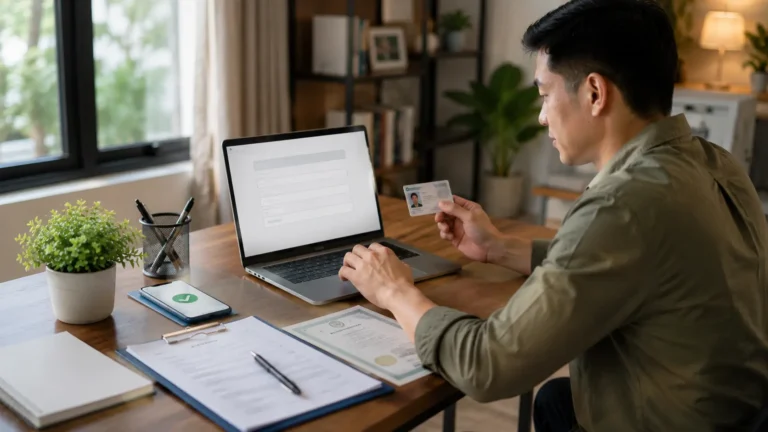
Having your details ready before you open the login page saves you from restarting the process halfway through. Keep the following on hand:
Your
PhilHealth
Identification
Number (PIN)
The password you set during registration, or your employer’s registered credentials if logging into EPRS
Access to your registered mobile number
for
OTP verification
Access to your registered email address,
in case a verification
link is sent there
A stable internet connection and an updated browser
If any of these details have changed recently, such as a new mobile number, it’s worth updating that information with PhilHealth before you attempt to log in, since outdated contact details are behind a large share of login failures.
How to Log In to the PhilHealth Member Portal
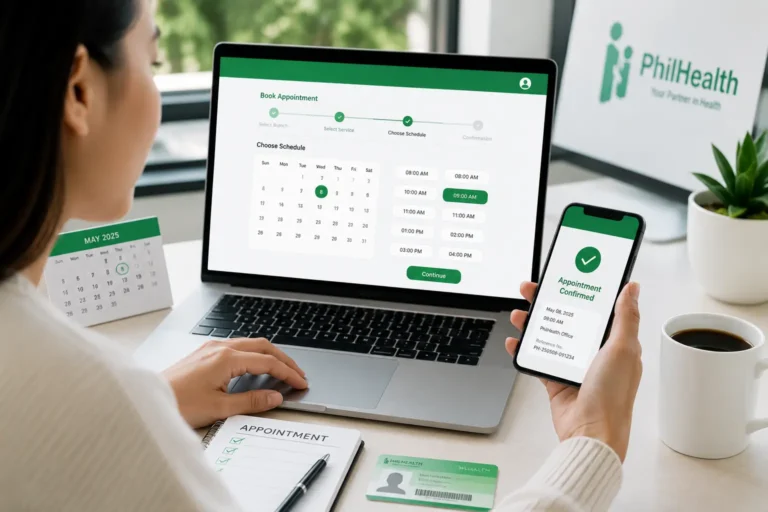
The member login is what most individual users are looking for, and the process is fairly straightforward once you know where to click. Here’s how it works.

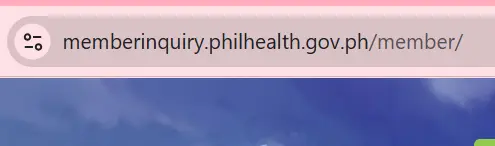
Go to the official PhilHealth website
and locate the Member Portal login section, usually found on the homepage or under a “Member” menu.
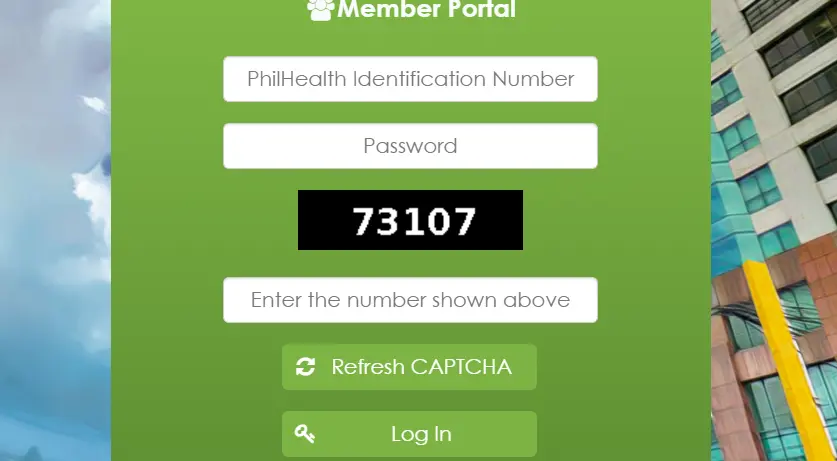
Enter your PhilHealth Number and password
Enter your PhilHealth Number and password
in the fields provided.

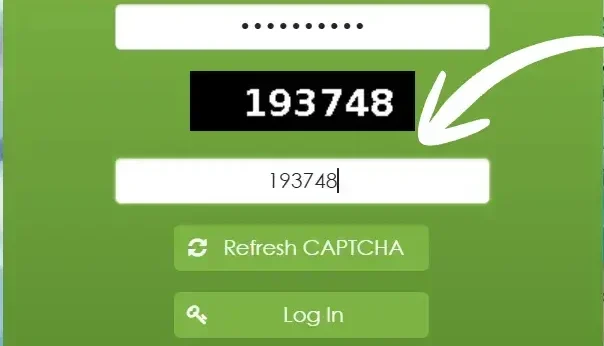
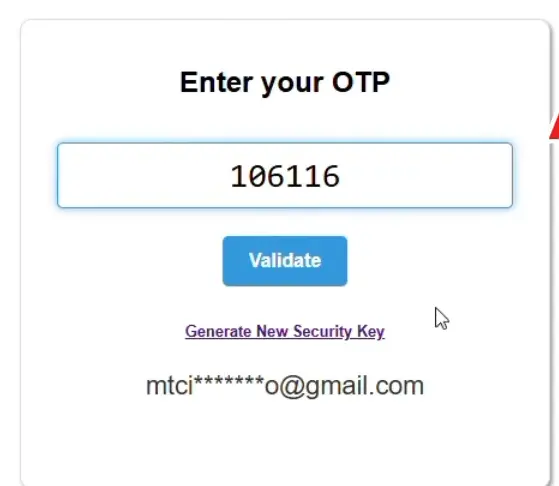
Complete the OTP or email verification step
Complete the OTP or email verification step, if prompted. This is more common on new devices or after a long period without logging in.
Land on your member dashboard
where your membership status, contribution summary, and available services appear.
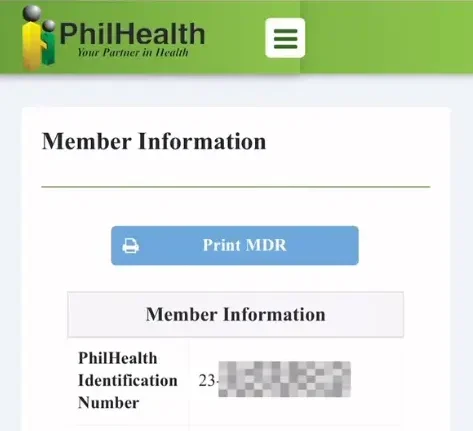
If you’ve never created online credentials before, even if you’ve been an active contributor for years through an employer, you won’t be able to log in yet. Being an active PhilHealth member and having portal login credentials are two separate things, and this single point of confusion accounts for a large share of “my login doesn’t work” complaints. In that case, you need to complete the online registration process first to generate your login credentials.
How to Log In to the PhilHealth Employer Portal (EPRS)
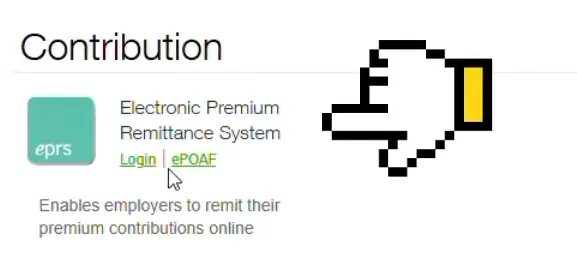
Employers and HR staff manage contributions through a separate system called the Electronic Premium Remittance System, or EPRS. This portal is built for handling multiple employees at once rather than a single individual’s records.
Navigate to the EPRS login page
accessible through the official PhilHealth website under employer services.
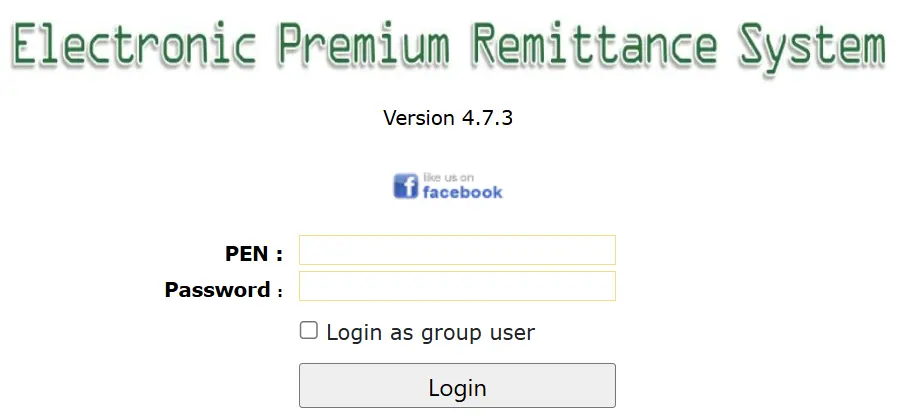
Enter the company’s registered Employer Number and password
not an individual employee’s PIN.
Verify through the registered authorized representative’s credentials
since EPRS access is usually tied to a designated HR contact rather than the business owner personally.
Access the employer dashboard
where you can view remittance history, generate reports, and manage employee records.
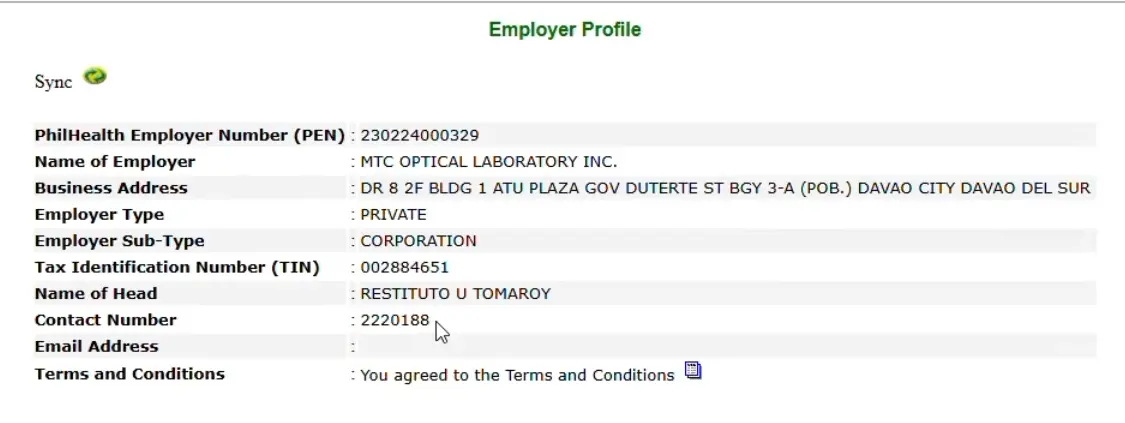
A common point of confusion is assuming your personal Member Portal login also works for EPRS. It doesn’t. These are separate systems with separate credentials, so an HR staff member managing a company’s contributions needs employer-specific login details, not their own personal member account. Setting up and using EPRS in full involves a distinct set of steps and requirements that go beyond simply logging in, and deserves its own detailed explanation.
How to Log In to the IHCP Portal (Healthcare Providers)
Hospitals, clinics, and accredited healthcare facilities use a different system entirely: the Interim/Integrated Healthcare Provider Portal, commonly referred to as IHCP. This isn’t relevant to individual members checking their own contributions, but it’s worth clarifying since the keyword commonly appears in searches from clinic administrative staff.
To log in, an authorized representative of the healthcare facility uses credentials issued during the facility’s accreditation process, not a personal PhilHealth membership number. Through IHCP, providers check patient eligibility, submit claims, and manage accreditation documents.
If your facility hasn’t been issued IHCP credentials yet, that request goes through PhilHealth’s accreditation department rather than the general member support channels.
Logging In as an OFW: What’s Different
Overseas Filipino Workers use the same Member Portal as locally based members, but a few practical differences affect the login experience. Time zone differences mean OTP codes and email verifications sometimes arrive at inconvenient hours, so it helps to attempt login during Philippine daytime when support channels are also active in case something goes wrong.
International mobile numbers occasionally have trouble receiving OTP messages from Philippine-based systems, depending on the telecom provider and roaming settings. If this happens repeatedly, switching the verification method to email, where available, tends to be more reliable than troubleshooting SMS delivery across borders. OFWs should also double-check that their registered contact details still reflect their current country and number, since many people update this information once and never touch it again despite moving between assignments.
Beyond login, OFWs often have specific questions about maintaining active status and paying contributions while working abroad, which involves its own set of rules worth exploring separately rather than folding into a login-focused article.
How to Reset Your PhilHealth Login Password
Forgetting a password happens to almost everyone eventually, especially for an account you only log into a few times a year. The reset process is designed to be simple, though it depends on having accurate contact details on file.
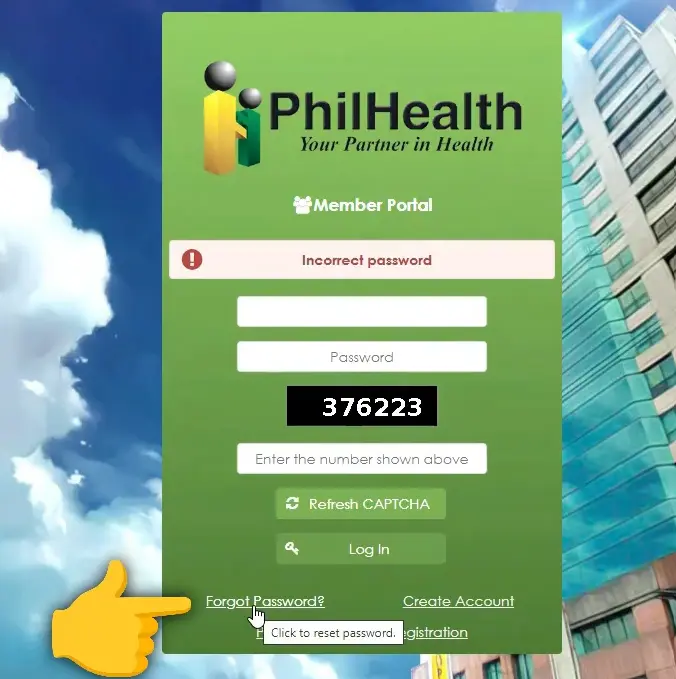
Click
“Forgot Password”
on the login page, located near the password field.
Enter your PhilHealth Number and registered email or mobile number
to confirm your identity.
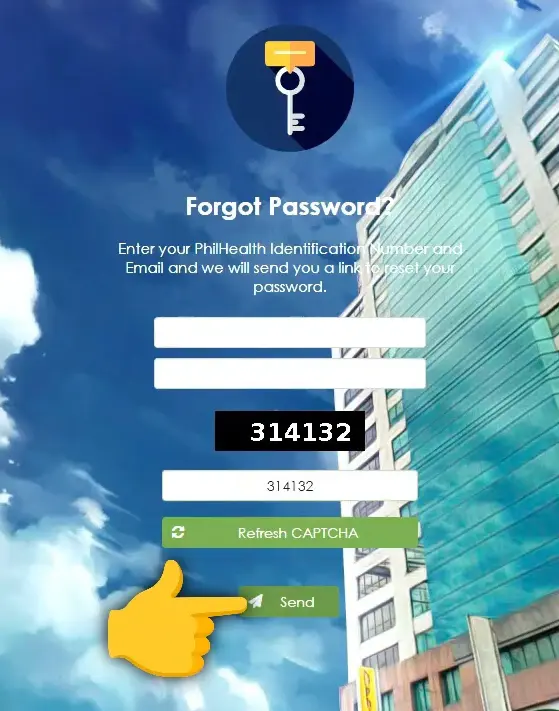
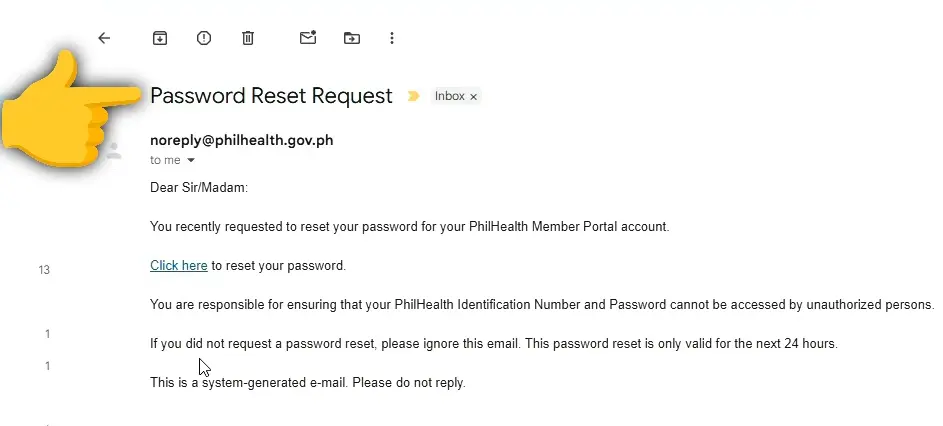
Check your email or phone for a reset link or code.
This usually arrives within a few minutes, though delays happen during peak hours.
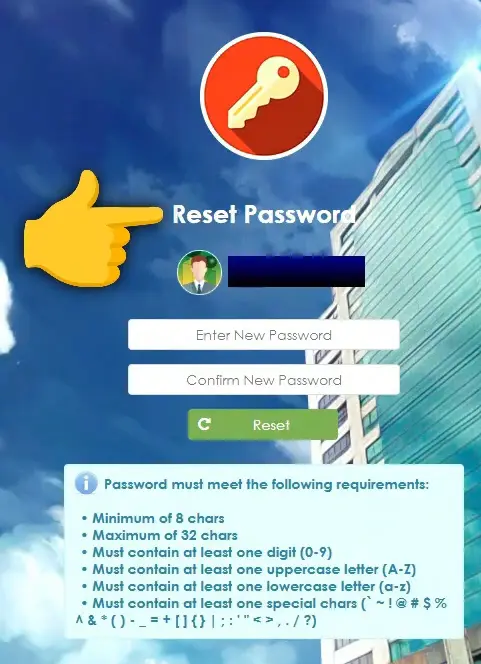
Create a new password
following the system’s requirements, which typically call for a mix of letters, numbers, and special characters.

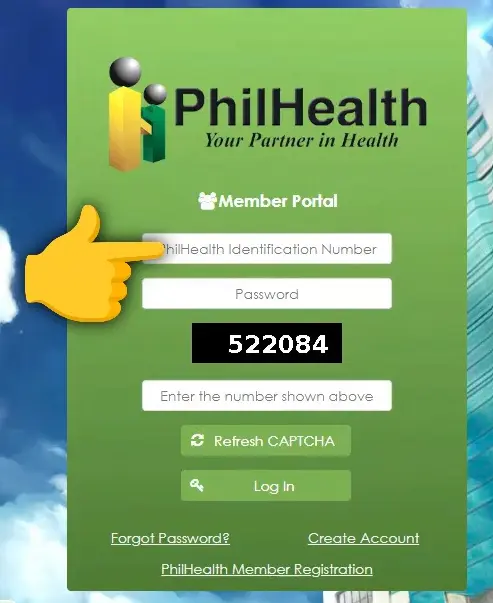
Log in again using your new password
to confirm the reset worked.
If you don’t receive the reset email or SMS after several minutes, check your spam folder before requesting another one. Repeated reset requests within a short window sometimes trigger a temporary block, so it’s better to wait a few minutes between attempts rather than clicking repeatedly out of frustration.
I Forgot My PhilHealth Number What Do I Do?
A forgotten PIN is a different problem from a forgotten password, and it needs a different fix. Your PhilHealth Number is a fixed identifier tied to your membership record, not something you reset like a password.
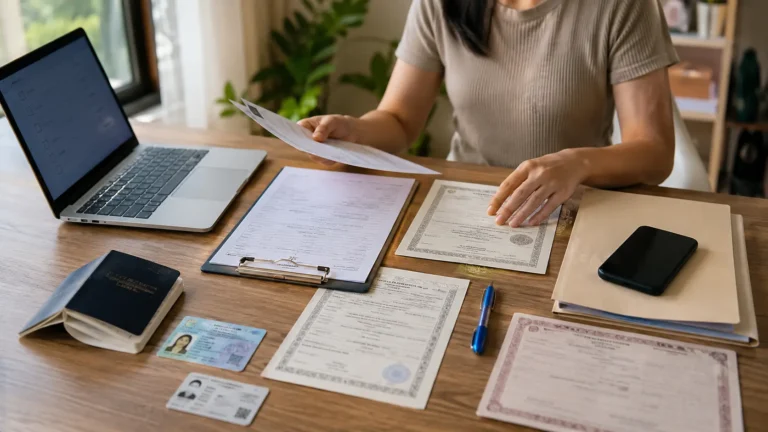
Start by checking physical documents you may already have, including an old PhilHealth ID, a printed MDR, or a payslip if you’re employed, since the number is usually printed there. If none of these are available, the portal’s number recovery tool, typically found near the login page, can help you retrieve it using your name, birth date, and registered contact information.
When the online tool doesn’t return a match, contacting PhilHealth’s official hotline or email support directly, with a valid ID ready for verification, is the most reliable next step.
Common PhilHealth Login Errors and Fixes
Most login problems fall into a handful of recurring categories. Here’s what to check for each one.
Invalid Username or Password
Confirm you’re entering your PhilHealth Number correctly, since transposed digits are a frequent culprit. If the number is correct, try resetting your password rather than repeatedly guessing, since multiple failed attempts can lead to a temporary lockout.
Account Locked
After several unsuccessful login attempts, the system temporarily locks the account as a security measure. This typically resolves itself after a set waiting period, often between thirty minutes and a few hours, though persistent lockouts may need a manual reset through customer support.
OTP Not Arriving
Delayed OTPs are often caused by network congestion rather than a system failure. Wait at least two minutes before requesting a new code, and confirm that your registered mobile number is both active and correctly listed on your account.
Session Expired Mid-Transaction
The portal automatically logs out inactive sessions after a set period for security reasons. If this happens while you’re filling out a form, log back in and check whether your progress was saved before re-entering information from scratch.
Wrong Portal Used
As covered earlier, member, employer, and provider logins are entirely separate systems. If your credentials seem to “not exist” despite being correct, double-check that you’re on the login page matching your actual role.
What Happens After You Log In
Once you’re successfully signed in, you land on a dashboard summarizing your account status, whether that’s a member’s contribution overview, an employer’s remittance summary, or a provider’s claims dashboard. From there, each type of user has access to a different set of tools tied to their role.
Members can typically view contribution history, update personal information, and download records like the Member Data Record. Employers see remittance schedules and employee-level reporting tools. see complete PhilHealth Contribution Guide.
Since these post-login features each involve their own steps and considerations, especially topics like checking or paying contributions and printing an MDR, those are better explored in dedicated articles rather than summarized briefly here.
Keeping Your PhilHealth Login Secure
Treat your PhilHealth login with the same caution you’d apply to online banking, since it holds personal health and financial information. Never share your PIN or password with anyone claiming to “assist” with PhilHealth transactions outside of official channels, since this is a common setup for identity theft.
Always confirm you’re on the correct, official PhilHealth web address before entering login details, particularly when arriving through a search ad or a link shared on social media. Fake portals designed to steal login credentials have appeared before, often mimicking the real site closely enough to fool a quick glance.
Changing your password periodically, and immediately after any suspected phishing attempt, adds another layer of protection to an account tied to sensitive personal records.
Which PhilHealth Portal Should You Use?
If you’re still unsure after everything above, here’s a quick way to decide. Individual members checking their own contributions or records use the Member Portal.
Business owners and HR staff managing employee remittances use the Employer Portal through EPRS.
Hospitals and clinics handling claims and accreditation use the IHCP Portal.
OFWs use the same Member Portal as local members, with a few practical adjustments around verification methods.
Choosing correctly the first time saves you from the frustrating experience of assuming your login is broken when really you were simply on the wrong page from the start.
Frequently Asked Questions

I’m Dayon, and I run PhilHealthPH.com. I got tired of confusing, outdated instructions every time I had to deal with PhilHealth online, so I started writing the guides I wished existed — clear, current, and focused on actually getting the task done. Everything here is checked against PhilHealth’s official site and updated whenever their process changes.