What Is a PhilHealth ID?
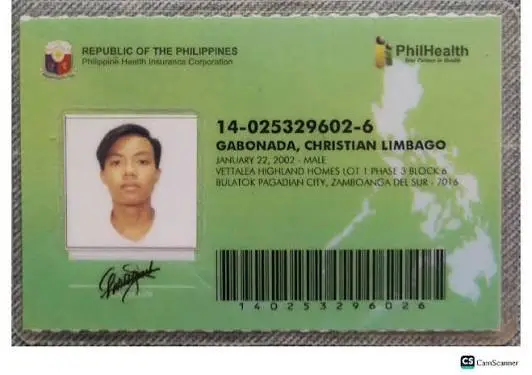
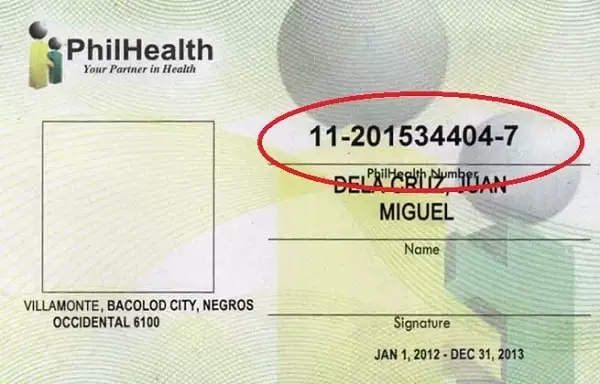
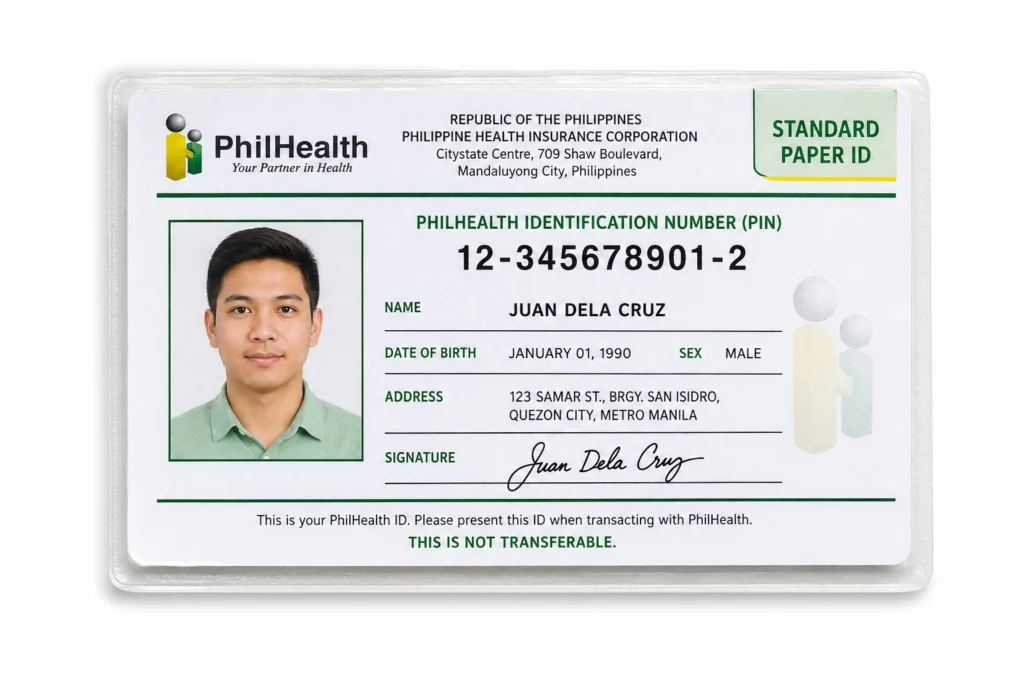
A PhilHealth ID is the membership card issued by the Philippine Health Insurance Corporation to confirm that you’re an active, registered member of the National Health Insurance Program. It carries your name, photo, signature, and your 12-digit PhilHealth Identification Number, which hospitals and clinics use to verify your coverage during admission or when processing a claim. The card itself is simply a physical representation of your membership; the real value lies in the number printed on it and the contribution record tied to that number. For most Filipinos, this small card becomes relevant during job onboarding, hospital visits, or whenever an office asks for proof of active health insurance coverage.
Understanding what this card actually does, and doesn’t do, saves a lot of confusion later. It’s not a payment card, it doesn’t need to be renewed, and it isn’t the only proof PhilHealth accepts anymore. Many members today rely more on their online Member Data Record than the physical card itself, especially since hospital billing staff can pull up contribution history directly from the system using just your PIN.
PhilHealth ID vs. PhilHealth Number (PIN): What’s the Difference?
Your PhilHealth Number, or PIN, is the permanent 12-digit identifier assigned to you for life, while the PhilHealth ID is simply the physical card that displays that number along with your photo and signature.
A lot of first-time applicants assume these are separate things they need to apply for individually, when in reality the PIN comes first and the card is generated from it. Once you register, whether online or at a branch, PhilHealth assigns your PIN immediately and this number never changes, even if you switch jobs, change your membership category, or lose your card multiple times over the years. The physical ID, on the other hand, needs a separate branch visit to print, since online registration only delivers your PIN through email rather than a ready-to-use card.
Why Do You Need a PhilHealth ID?
Having your card on hand makes hospital admission and claims processing noticeably faster, since staff can immediately match your identity to your contribution record instead of searching manually. Employers also typically ask new hires for their PhilHealth number during onboarding, and having the card ready avoids delays in getting properly enrolled under the company’s account. Beyond healthcare use, some government offices and private institutions accept it as a supporting document alongside another valid ID, which comes in handy for Filipinos who don’t yet have a passport or driver’s license. It’s also simply good practice to have some form of physical proof of your membership, especially for older members or those less comfortable navigating the online portal during an emergency.
Types of PhilHealth ID
PhilHealth currently issues two main versions of the physical card, and knowing the difference helps set the right expectations before you apply.
|
Type |
Cost |
Material |
Availability |
|
Standard paper ID |
Free |
Laminated cardboard |
Available at all branches; issued to the vast majority of members |
|
Digitized PVC ID |
Small fee, typically ₱90 to ₱150 |
Plastic, similar to a bank card |
Limited availability; not all branches have the equipment |
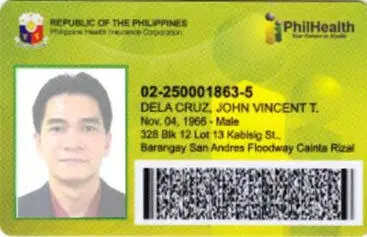
The standard paper ID is what most members walk away with, and once laminated, it holds up well enough for regular use. The digitized PVC version looks more like a typical plastic ID card and is often preferred for durability, but its rollout across branches has been inconsistent, so it’s best to call ahead and confirm whether your local office actually offers it before making a special trip. If you’re simply looking for something functional to keep in your wallet, the standard paper version is usually enough for most transactions.
Is PhilHealth ID a Valid ID?
Yes, the PhilHealth ID is generally accepted as a valid secondary ID across many transactions in the Philippines, though it is rarely accepted as a primary ID on its own.
This distinction matters more than people expect. Banks, loan applications, and money transfer services usually classify it as a secondary ID, meaning you’ll often need to present it together with another form of identification rather than relying on it alone. Government agencies like the Land Transportation Office or Pag-IBIG typically accept it as supporting identification as well, but institutions with stricter document policies, such as the Department of Foreign Affairs for passport applications, generally do not accept the standard laminated card as a primary requirement. The digitized PVC version, when available, tends to carry a bit more weight in some situations since it includes tighter security features, but confirming acceptance with the specific institution beforehand is always the safer move.
How to Get Your PhilHealth ID in 2026
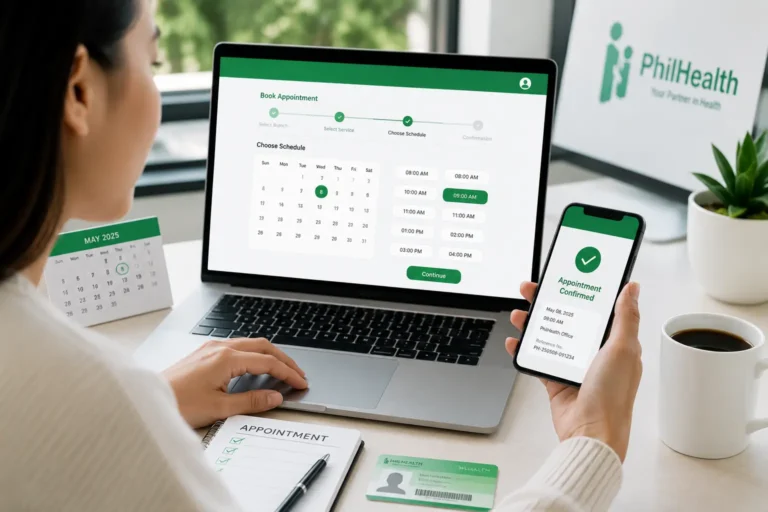
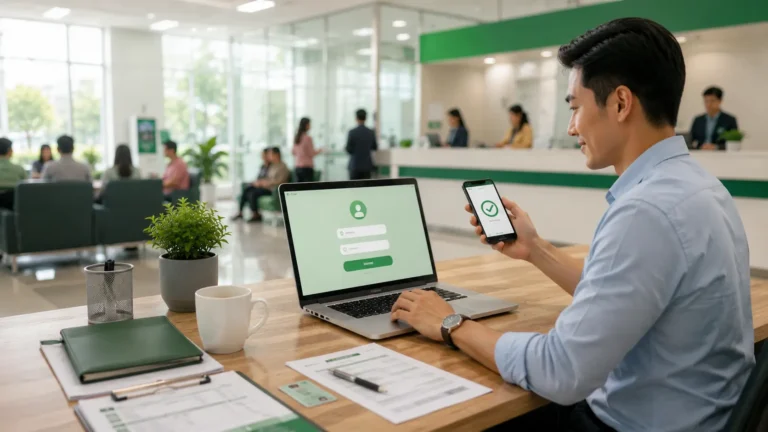
In 2026, the fastest way to get your PhilHealth ID is to register through the PhilHealth Member Portal to receive your PIN by email, then visit any PhilHealth branch or PhilHealth Express outlet to have the physical card printed on the same day, since online registration alone still does not produce a mailed or downloadable card.
The overall process hasn’t changed dramatically from previous years, but a few practical details are worth knowing if you’re applying this year specifically. Many new businesses now receive employee-related PhilHealth records set up faster thanks to closer integration between government registration systems, which means employed members sometimes find their PIN already active by the time HR finishes onboarding paperwork. For everyone else, self-employed, voluntary, OFW, or senior citizen applicants, the branch visit for the physical card remains a required step, since PhilHealth has not rolled out mailed or app-generated cards nationwide.
What has genuinely shifted in 2026 is how much weight the physical card actually carries day to day. Most hospitals and HR departments now prioritize your digital Member Data Record over the laminated card itself, since the MDR can be verified instantly through the system and reflects your most current information. This means your realistic 2026 checklist looks like this:
If you haven’t created an account yet, follow complete PhilHealth Portal guide to access your MDR, contributions, and member services online.
Treating the card as a convenient backup rather than your only proof of membership reflects how PhilHealth transactions actually work today, and it saves you from panicking if the card itself gets lost or worn out.
Don’t have a PhilHealth Number (PIN) yet? Read our complete PhilHealth Online Registration guide before applying for your ID.
General Requirements for a PhilHealth ID
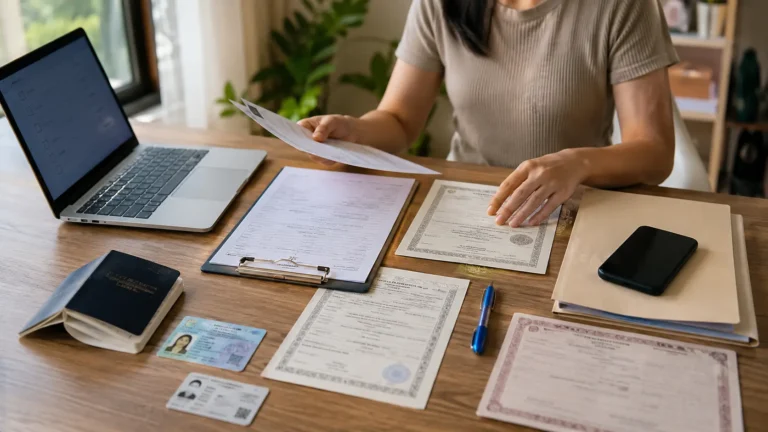
Before heading to a branch, it helps to have these basics ready regardless of your membership category.
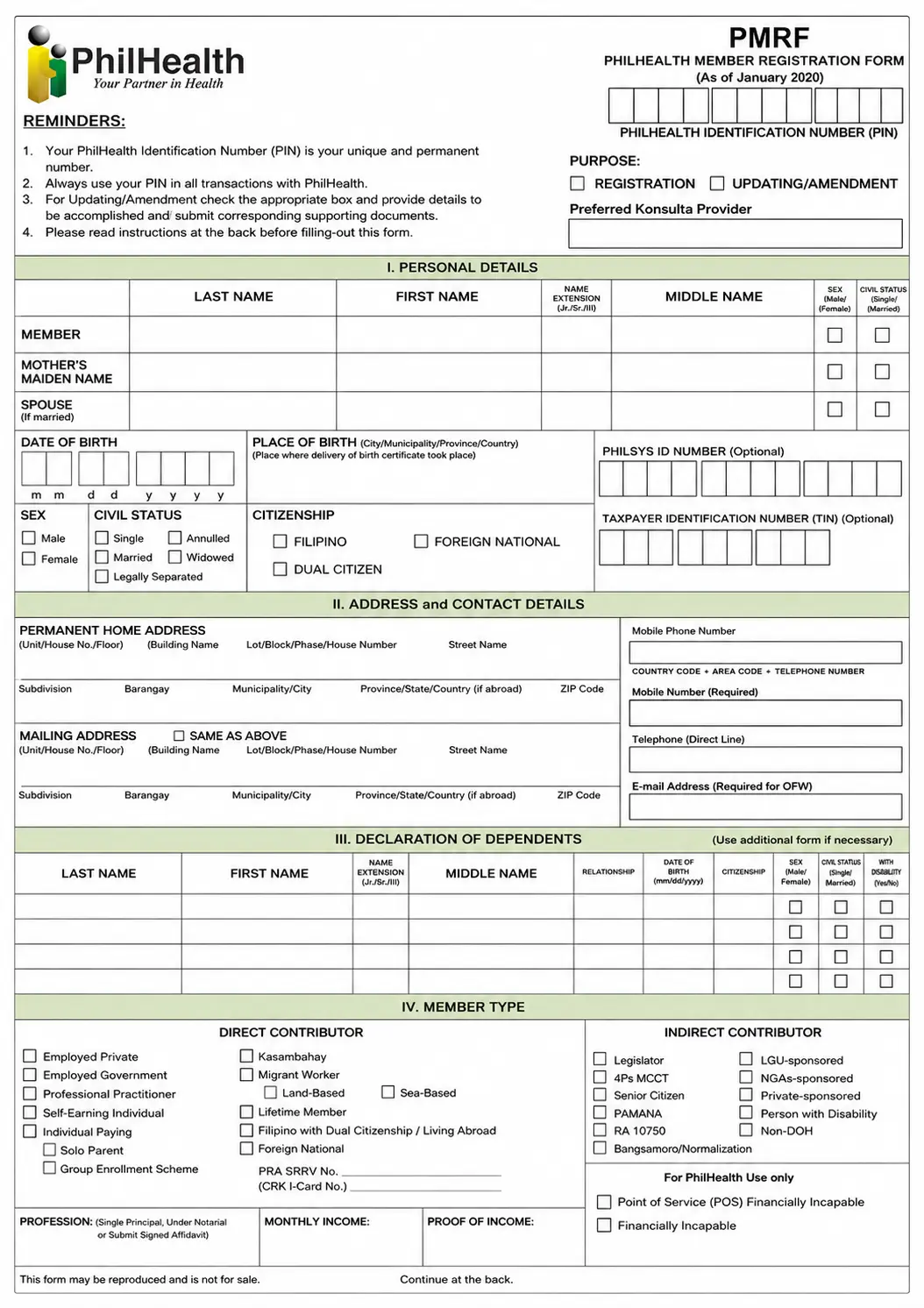
Filling out the PMRF at home instead of at the counter saves noticeable time, since branches are often busy and rushing through the form under pressure leads to small errors that cause rework. Print the form using capital letters and a black ballpen, and leave the PhilHealth Number field blank if this is genuinely your first time registering. Need the complete checklist? See our detailed PhilHealth Requirements guide covering documents for every member category.
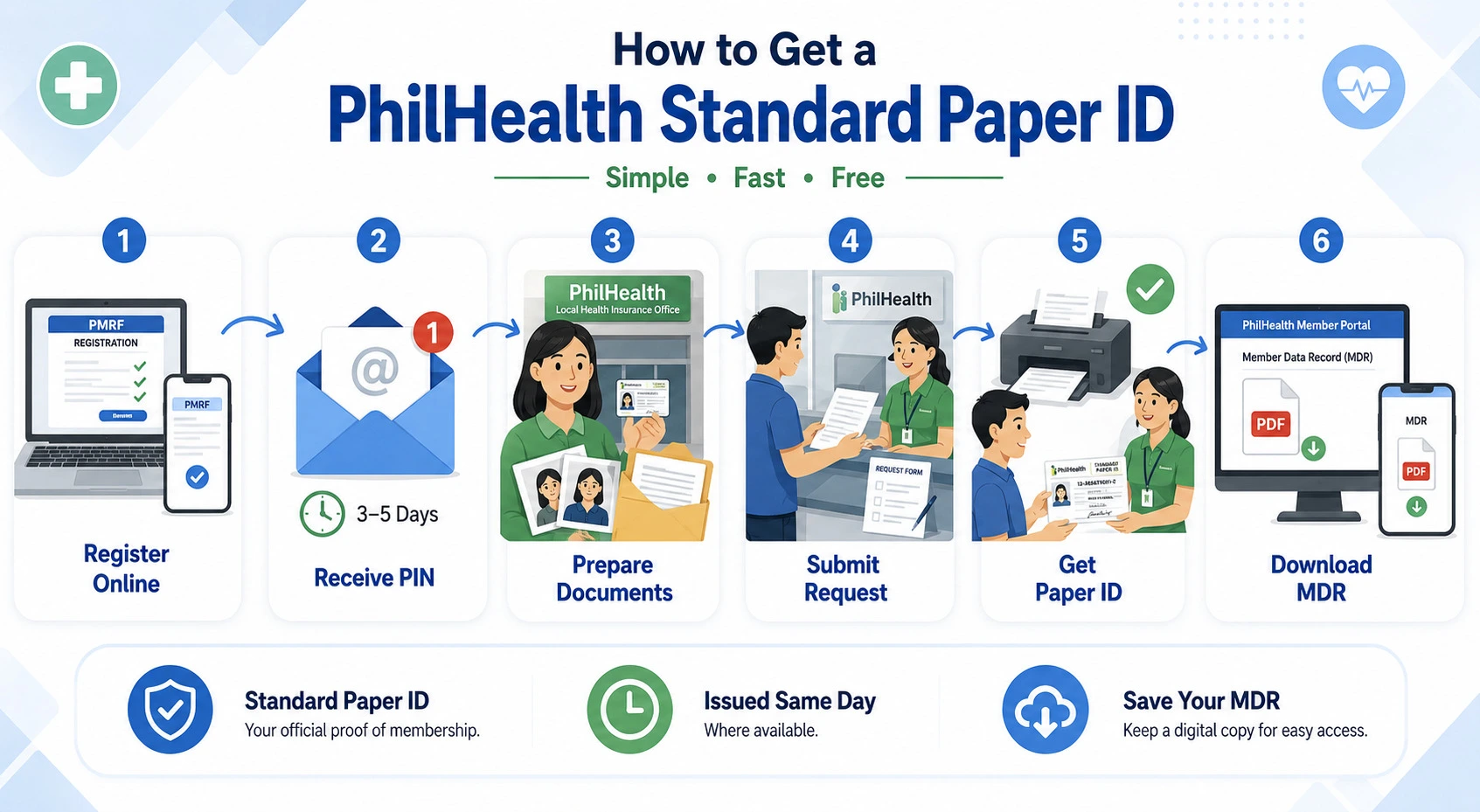
How to Get a PhilHealth ID (Step-by-Step)
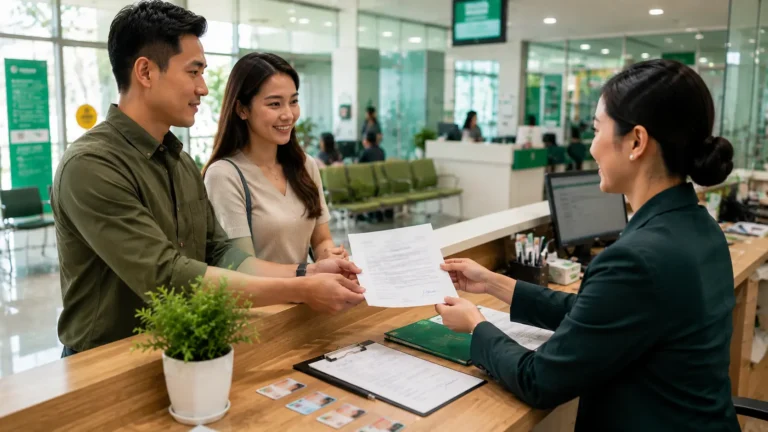
The fastest way to get a PhilHealth ID is to register online first to receive your PIN by email, then visit any PhilHealth branch or PhilHealth Express outlet to have the physical card printed on the spot.
Doing the entire process face-to-face at a branch, rather than splitting it between online registration and a later branch visit, is often the quickest route if you want the card the same day.
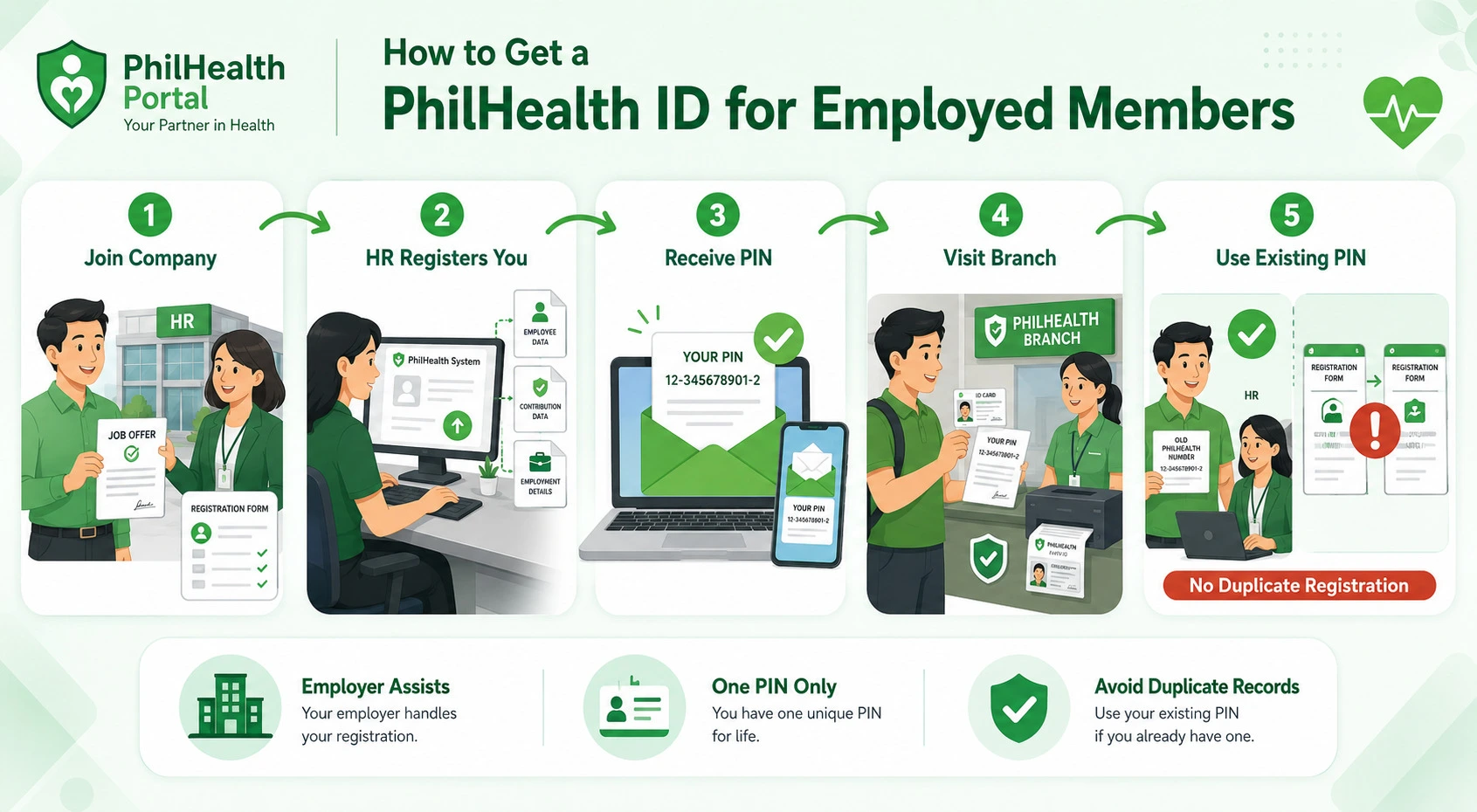
How to Get a PhilHealth ID for Employed Members
If you’re a new hire, your employer typically handles the initial registration process on your behalf, submitting your details through their HR department so you’re properly enrolled under the company’s PhilHealth account.
Once this is processed, you’ll receive your PIN, and from there the process of getting your physical card works the same way as any other member, through a branch visit with your PIN and a valid ID.
Some companies coordinate directly with a nearby PhilHealth office to process several new employees at once, so it’s worth asking your HR team whether this has already been arranged before doing it independently.
If you already had a PIN from a previous job or as a voluntary member, simply give this number to your new employer instead of registering again, since duplicate registrations create confusing overlaps in your record.
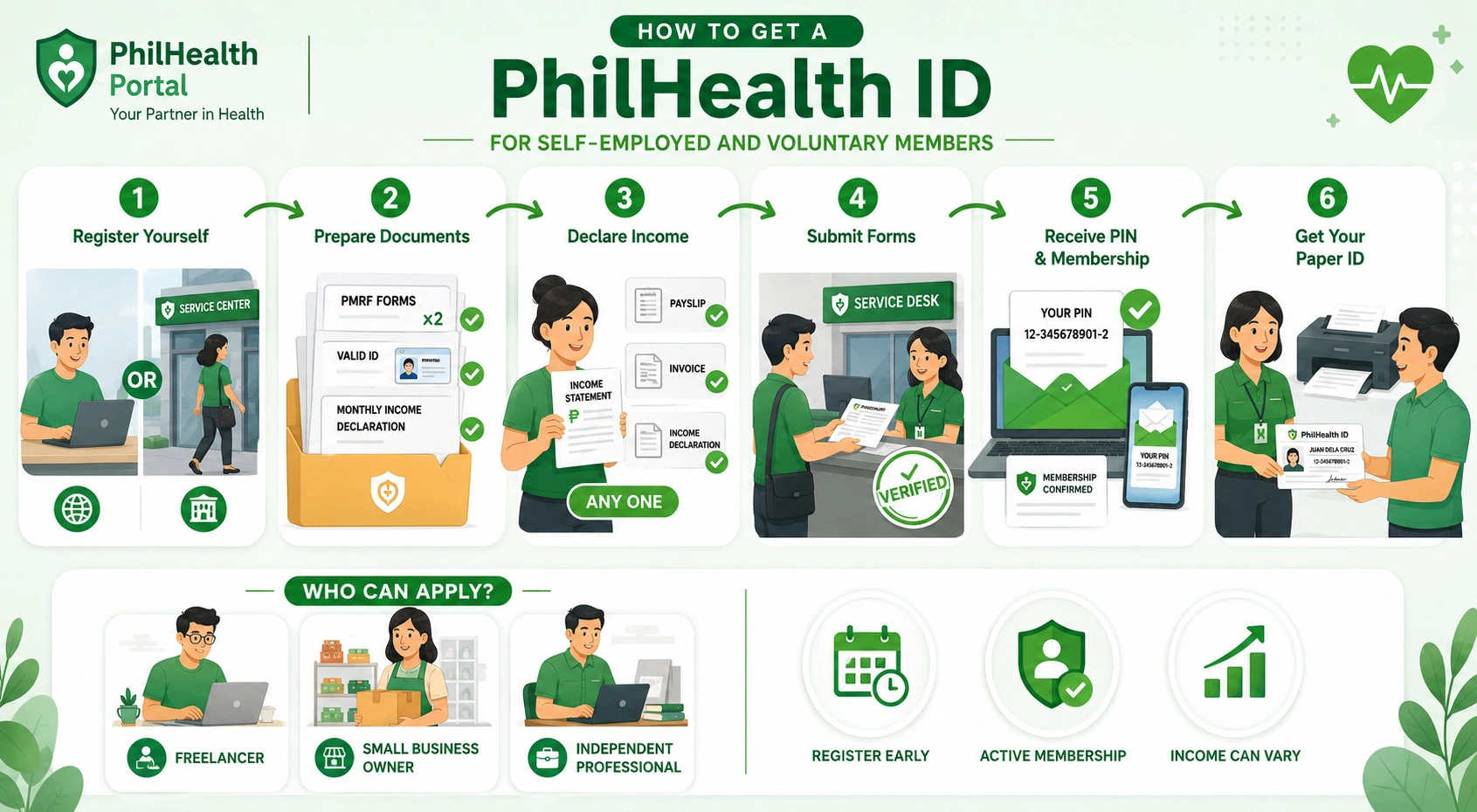
How to Get a PhilHealth ID for Self-Employed and Voluntary Members
Self-employed and voluntary members apply the same way as any other individual member, submitting two copies of the PMRF along with a valid ID and a declaration of their monthly income to determine their contribution bracket.
Since there’s no employer to process registration for you, you’ll need to handle this at a branch or through online registration yourself. Bring proof of income if you have it, such as a recent payslip from freelance work or a simple income statement, though PhilHealth generally accepts a straightforward declaration if formal documentation isn’t available. This category covers freelancers, small business owners, and independent professionals who aren’t bound by a traditional employer-employee relationship, and it’s worth registering as early as possible even if your income is irregular, since active membership matters more than consistent income for eligibility.
How to Get a PhilHealth ID for OFWs
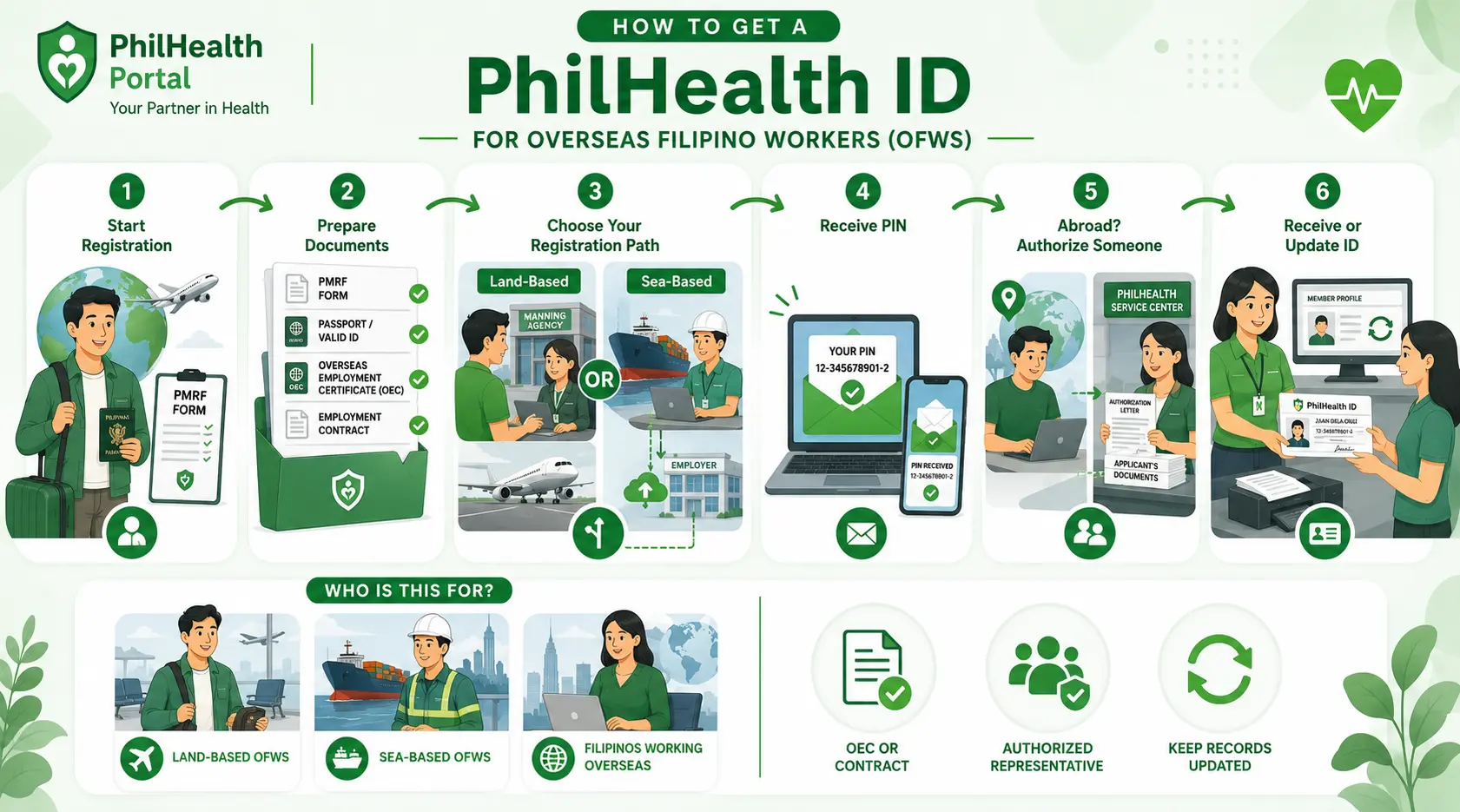
Overseas Filipino Workers fall under a specific direct contributor category, and the registration process typically requires the same PMRF along with a supporting document proving OFW status, such as an Overseas Employment Certificate or a valid employment contract. Land-based workers usually process this before deployment, sometimes with help from their manning agency, while sea-based workers often go through employer-assisted enrollment similar to standard employed members. If you’re already abroad and need to update your records or request a replacement card, a trusted representative back home can process this on your behalf as long as they bring a proper authorization letter along with your documents.
How to Get a PhilHealth ID for Senior Citizens and Unemployed Members
Senior citizens generally only need to present a valid ID that shows their birth date, such as a Senior Citizen ID, passport, or driver’s license, since coverage for this group is largely automatic and subsidized. If a senior citizen was never previously registered, a PMRF may still need to be filled out to get their record properly into the system before a card can be issued.
Unemployed individuals without any income typically fall under the Indigent Program, which requires being identified through the Department of Social Welfare and Development’s National Household Targeting System, usually facilitated through the local government unit rather than a direct PhilHealth application. If you’re unemployed but not part of this program, registering as a voluntary member and declaring your available income is the more straightforward path to getting your own PIN and card.
How Much Does a PhilHealth ID Cost?
The standard paper PhilHealth ID is completely free, while the optional digitized PVC card typically costs between ₱90 and ₱150, depending on the branch.
The only real cost involved in getting the free version comes from preparing your own 1×1 photos beforehand, which most photo studios or photo booths can produce for a small fee. If you’re specifically after the PVC version for its added durability, confirm with your branch first whether they currently offer it, since availability varies significantly and some offices still don’t have the equipment needed to produce it.
How Long Does It Take to Get a PhilHealth ID?
If you already have your PIN, getting your physical PhilHealth ID printed at a branch usually takes just a few minutes on the same day, while getting your PIN itself through online registration typically takes three to five working days.
Processing time can stretch longer if your documents are incomplete or if your details don’t match across your submitted forms and supporting IDs. Visiting during less busy hours, such as weekday mornings right after a branch opens, tends to move faster than visiting near lunchtime or close to month-end when foot traffic is higher.
What to Do If You Lose Your PhilHealth ID
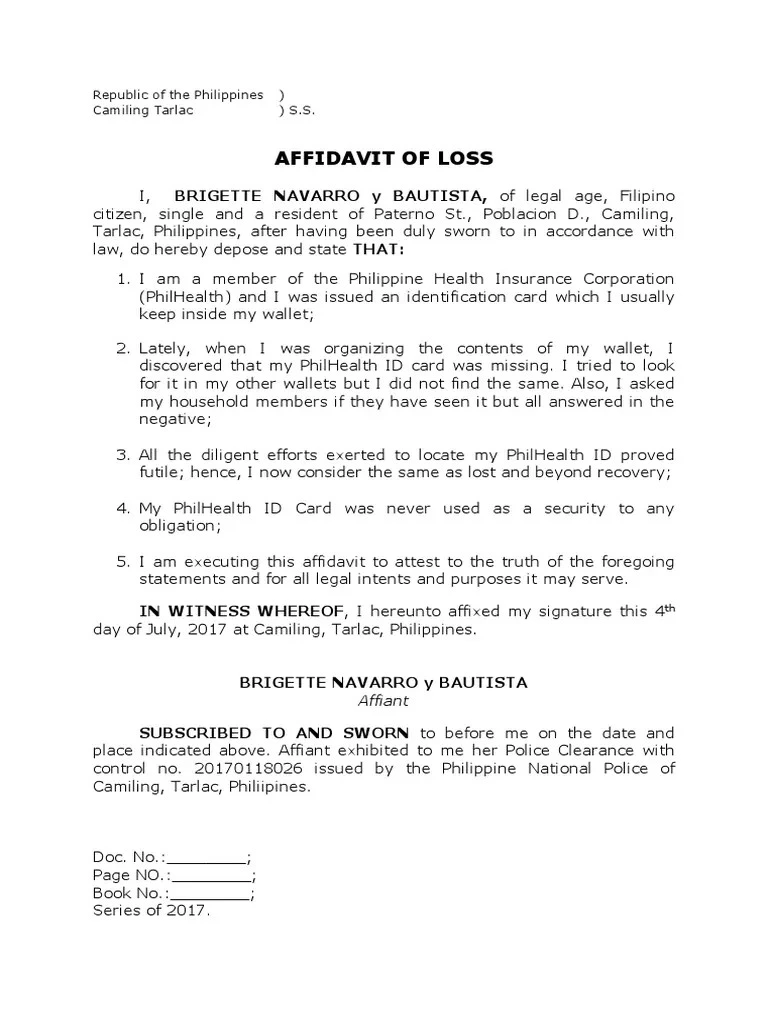
If you lose your PhilHealth ID, you don’t need to register again; simply prepare a notarized Affidavit of Loss, bring a valid ID, and request a free replacement card at any PhilHealth branch.
Here’s the typical process for replacement:
Some branches may accept just the PMRF without requiring a formal affidavit, so calling ahead to confirm the exact local requirement can save you an unnecessary trip to a notary. Since your PIN never changes, losing the physical card doesn’t affect your contribution history or coverage in any way.
Sending a Representative to Claim Your PhilHealth ID
If you’re bedridden, working abroad, or simply unable to visit a branch yourself, a trusted representative can claim your PhilHealth ID on your behalf. To have someone else claim your card, they need to bring a signed authorization letter from you, your original valid ID, their own original valid ID, and your complete PMRF.
Make sure the authorization letter clearly states the exact transaction, since a vague letter increases the chance of the representative being turned away at the counter. This option works well for OFWs coordinating with family back home, elderly members who have difficulty traveling, or anyone whose work schedule makes a branch visit during business hours nearly impossible. If someone will claim your PhilHealth ID for you, download our ready-to-use PhilHealth Authorization Letter sample and format.
Common Mistakes That Delay Applications
Even simple registrations run into avoidable slowdowns, usually caused by small oversights rather than complicated problems.
Troubleshooting Common Problems
If your PIN never arrived after online registration, first check your spam or junk email folder before assuming something went wrong, since automated PhilHealth emails sometimes get filtered incorrectly. If a branch tells you your details don’t match their system, bring an additional supporting document, such as your PSA birth certificate, to help staff verify and correct the discrepancy on the spot.
For members who registered years ago and can no longer recall their PIN, staff can usually look up your record using your full name and birth date, so there’s no need to worry about starting over. If your card was printed with an error, such as a misspelled name, report it immediately at the same branch rather than waiting, since corrections are far easier to process before you leave with the card in hand.
Tips for Keeping Your PhilHealth ID Safe and Useful
Frequently Asked Questions

I’m Dayon, and I run PhilHealthPH.com. I got tired of confusing, outdated instructions every time I had to deal with PhilHealth online, so I started writing the guides I wished existed — clear, current, and focused on actually getting the task done. Everything here is checked against PhilHealth’s official site and updated whenever their process changes.