Quick Answer
CSF stands for Claim Signature Form, a single PhilHealth document that consolidates the signatures once required across separate parts of Claim Form 1 (CF1) and Claim Form 2 (CF2) into one form. Hospitals use it to certify a patient’s admission details, membership status, and the healthcare provider’s confirmation of services rendered, all under one signed document submitted alongside a PhilHealth claim.
For most patients, the CSF isn’t something you fill out entirely on your own. The hospital’s PhilHealth desk prepares it during your confinement, and you’re mainly responsible for reviewing your personal details and signing the appropriate sections. Understanding what the form actually covers, though, helps you catch errors before they turn into a delayed or returned claim.
What Is CSF in PhilHealth?
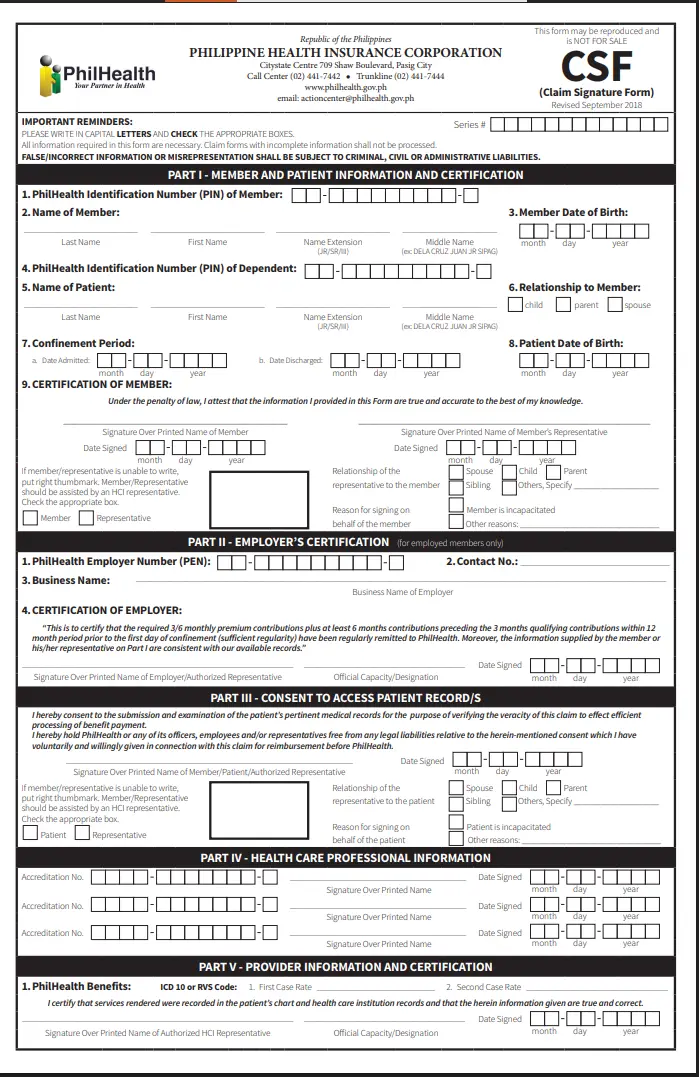
CSF, or Claim Signature Form, is the official PhilHealth document introduced to simplify claims processing by combining signature requirements from CF1 and CF2 into a single form. It was formalized under PhilHealth Advisory 2018-0068 and updated in September 2018, and accredited hospitals have used it for admissions since October 1, 2018.
Before the CSF existed, hospitals needed separate signature pages scattered across Claim Form 1 and Claim Form 2, which made claims processing slower and more prone to missing signatures. The CSF pulled the essential certifications, member information, employer certification, consent to access records, and healthcare provider confirmation, into one consolidated document. This is why the CSF is now the primary form most PhilHealth-accredited hospitals rely on when filing an electronic claim.
Why PhilHealth Introduced the CSF
PhilHealth moved toward electronic claims filing over the past decade, and a single consolidated signature form fits that shift far better than multiple paper-based forms passed between departments. The CSF reduces the number of documents a hospital’s PhilHealth desk has to track down signatures for, which speeds up submission and cuts down on claims returned simply because one signature page was missing from a larger stack of paperwork.
According to PhilHealth’s own advisory, the CSF alone is sufficient for eClaims submission in most cases. CF1 and CF2 are still accepted if the CSF is unavailable, but if there’s an inconsistency between what the hospital encoded and what appears on the physical forms, PhilHealth may still request the original CF1 and CF2 as backup documentation. In practice, this means the CSF has become the default, with the older forms serving as a fallback rather than a requirement in every case.
CSF vs. CF1 and CF2: What’s the Difference?
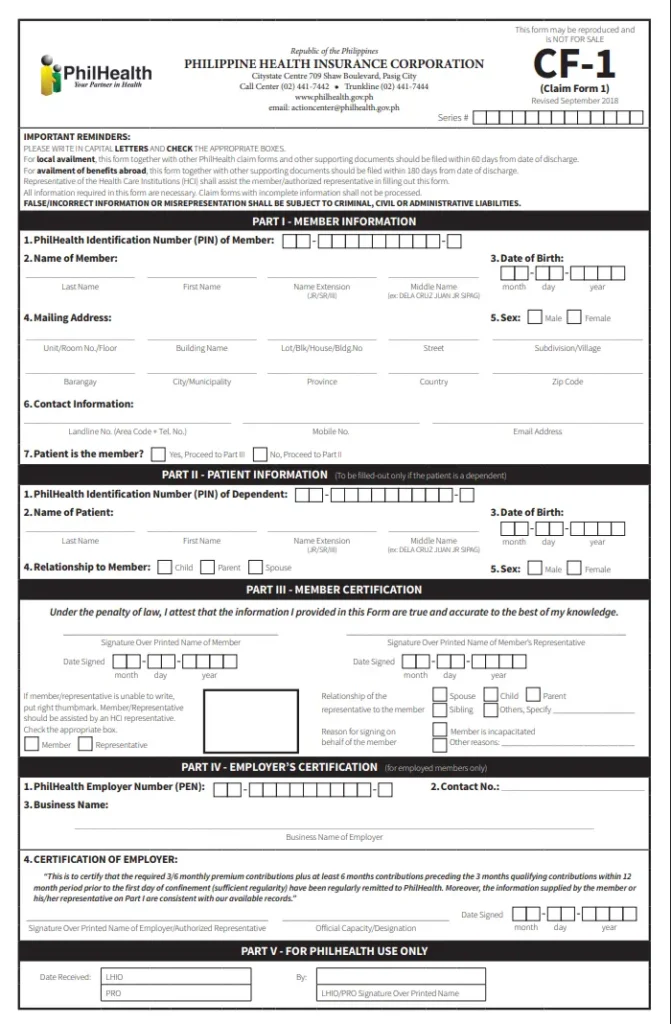
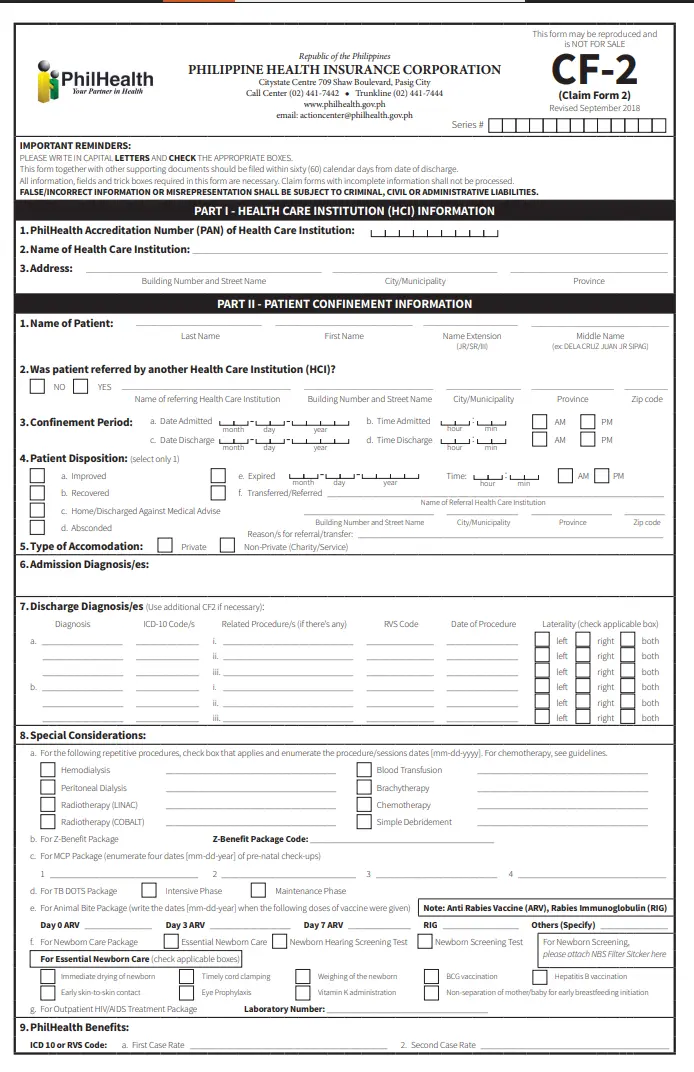
CF1 is the member’s registration and admission certification form, CF2 is the healthcare provider’s claim form detailing diagnosis and procedure codes, and the CSF consolidates the signature sections from both into a single document. They serve different purposes but are closely linked in the claims process.
|
Form |
Purpose |
Who Fills It Out |
|
CF1 |
Confirms member identity, admission details, and employer certification of contributions |
Member or representative, employer (if employed) |
|
CF2 |
Records diagnosis, procedures, ICD-10/RVS codes, and case rate information |
Attending physician, surgeon, or health care provider |
|
CSF |
Consolidates required signatures from CF1 and CF2 into one form for eClaims submission |
Member, employer (if applicable), attending health care professionals, HCI representative |
A common point of confusion is thinking the CSF replaces CF1 and CF2 entirely. It doesn’t. The CSF specifically handles the signature and certification portions, while CF1 and CF2 still exist as the underlying documents containing the fuller administrative and clinical details PhilHealth needs to process a claim. You can confirm your membership details and access your records through the PhilHealth Portal before completing the CSF form.
What’s Inside the CSF Form
The CSF is organized into five parts, each covering a different party involved in the claim.
Each section requires a signature over printed name, and if a member or patient is physically unable to sign, the form allows a right thumbmark instead, witnessed by an HCI representative. After completing the CSF, follow complete guide on How to File a PhilHealth Claim to submit your documents correctly.
Who Needs to Sign the CSF
The CSF requires signatures from the PhilHealth member or their authorized representative, the employer’s representative if the member is employed, the attending physician and other involved health care professionals, and an authorized representative of the health care institution. Each signatory certifies a different part of the claim, from personal identity to clinical services rendered.
If the member is incapacitated or otherwise unable to sign, a representative can sign on their behalf, provided they indicate their relationship to the member, such as spouse, child, parent, or sibling, and the reason they’re signing instead. The form specifically requires this relationship and reason to be documented, not just a substitute signature, so hospital staff typically walk patients or their representatives through this section carefully during admission.
Step-by-Step: How to Fill Out the PhilHealth CSF
Most of these steps happen with hospital staff guiding you directly, so you’re rarely filling out the entire form unsupervised.
The CSF is commonly required for hospital admissions, so it’s useful to understand the overall PhilHealth Hospitalization process.
Where to Download the CSF Form
The official CSF form is available for download directly from PhilHealth’s website at philhealth.gov.ph, under the downloadable claims forms section, alongside the current versions of CF1 and CF2. Downloading it directly from the official site avoids outdated versions that sometimes circulate through unofficial form hosting websites.
If you’re an employer or HR representative who regularly processes claims for staff, keeping a saved copy of the latest CSF version on hand speeds up future submissions. Since PhilHealth periodically revises its forms, checking that you’re using the most current version before a hospital visit prevents the form being returned for using an outdated template.
When Is the CSF Required?
The CSF is required for hospital and healthcare provider claims submitted through PhilHealth’s electronic claims system, covering inpatient confinements, and applies broadly across accredited health care institutions since October 2018.
It’s used whenever a PhilHealth member or dependent is admitted and the hospital needs to certify eligibility, membership status, and clinical details as part of the reimbursement or automatic deduction process.
Outpatient transactions handled through primary care programs, or claims filed directly by a member for reimbursement after paying out of pocket, may involve a different combination of forms depending on the specific benefit.
Confirming with the hospital’s PhilHealth desk or a PhilHealth branch which specific forms apply to your situation avoids submitting the wrong paperwork for your particular claim type.
Requirements Before You Can Use the CSF
Having your PIN and ID ready at admission, rather than searching for them once the hospital’s PhilHealth desk asks, keeps the CSF process moving without unnecessary delay.
Common Mistakes That Get the CSF Rejected
Troubleshooting a Returned or Incomplete CSF
If a hospital tells you your CSF was returned or flagged, ask specifically which part of the form triggered the issue, since PhilHealth’s system typically identifies the exact section with the problem.
Common fixes include re-signing a missing section, having the employer resubmit an updated certification, or providing the original CF1 and CF2 if there’s a data inconsistency PhilHealth needs to verify. If the hospital’s PhilHealth desk can’t resolve the issue directly, escalating to PhilHealth’s Corporate Action Center, with your PIN and claim reference on hand, is the next step.
Tips for a Smooth CSF Submission
Bring a valid ID and your PhilHealth PIN to every hospital admission, even for planned procedures, so the hospital’s PhilHealth desk can process your CSF without delay.
Double-check that names, birth dates, and PINs on the form match your official PhilHealth records exactly, since small discrepancies are a frequent cause of returned claims.
If you’re an employed member, coordinate with your HR department ahead of a planned hospitalization so your employer’s certification is ready when needed, rather than requested at the last minute. Keep a photocopy of your completed CSF for your own records, in case a dispute or follow-up question comes up after discharge.

I’m Dayon, and I run PhilHealthPH.com. I got tired of confusing, outdated instructions every time I had to deal with PhilHealth online, so I started writing the guides I wished existed — clear, current, and focused on actually getting the task done. Everything here is checked against PhilHealth’s official site and updated whenever their process changes.