Self-employed individuals and freelancers register with PhilHealth as “Self-Earning Individual” members, submitting a filled-out PMRF, a valid ID, and proof of income such as a DTI certificate, latest ITR, or a notarized affidavit of income. Unlike employed members, you shoulder the full 5% contribution yourself, based on your declared monthly income, and you can pay monthly, quarterly, semi-annually, or annually. Once registered and current on your payments, you’re entitled to the same hospitalization, maternity, and outpatient benefits as any other direct contributor.
If you’re a freelancer, a small business owner, a rideshare driver, or anyone earning without an employer behind you, PhilHealth treats your situation differently from a typical payroll employee. There’s no HR department filing your paperwork or deducting your share automatically. This article walks through exactly what that means in practice, from your first registration to keeping your coverage active year after year.
Who Counts as a Self-Employed or Freelance PhilHealth Member?
PhilHealth classifies you as a “Self-Earning Individual” if you earn income without a formal employer-employee relationship, which covers freelancers, online sellers, professionals in private practice, small business owners, and workers in the informal sector such as tricycle or jeepney drivers.
This category sits under the broader “voluntary” or “individually paying member” group, alongside people who are between jobs, homemakers, or otherwise not tied to a company payroll. The distinction matters because it determines how you register, how you’re billed, and which documents PhilHealth asks you to bring.
Some members move in and out of this category throughout their working life, such as a former office employee who now freelances full time. PhilHealth doesn’t require you to open a brand-new account in that situation; you simply update your existing membership type instead of registering from scratch.
How to Register for PhilHealth as a Self-Employed Individual
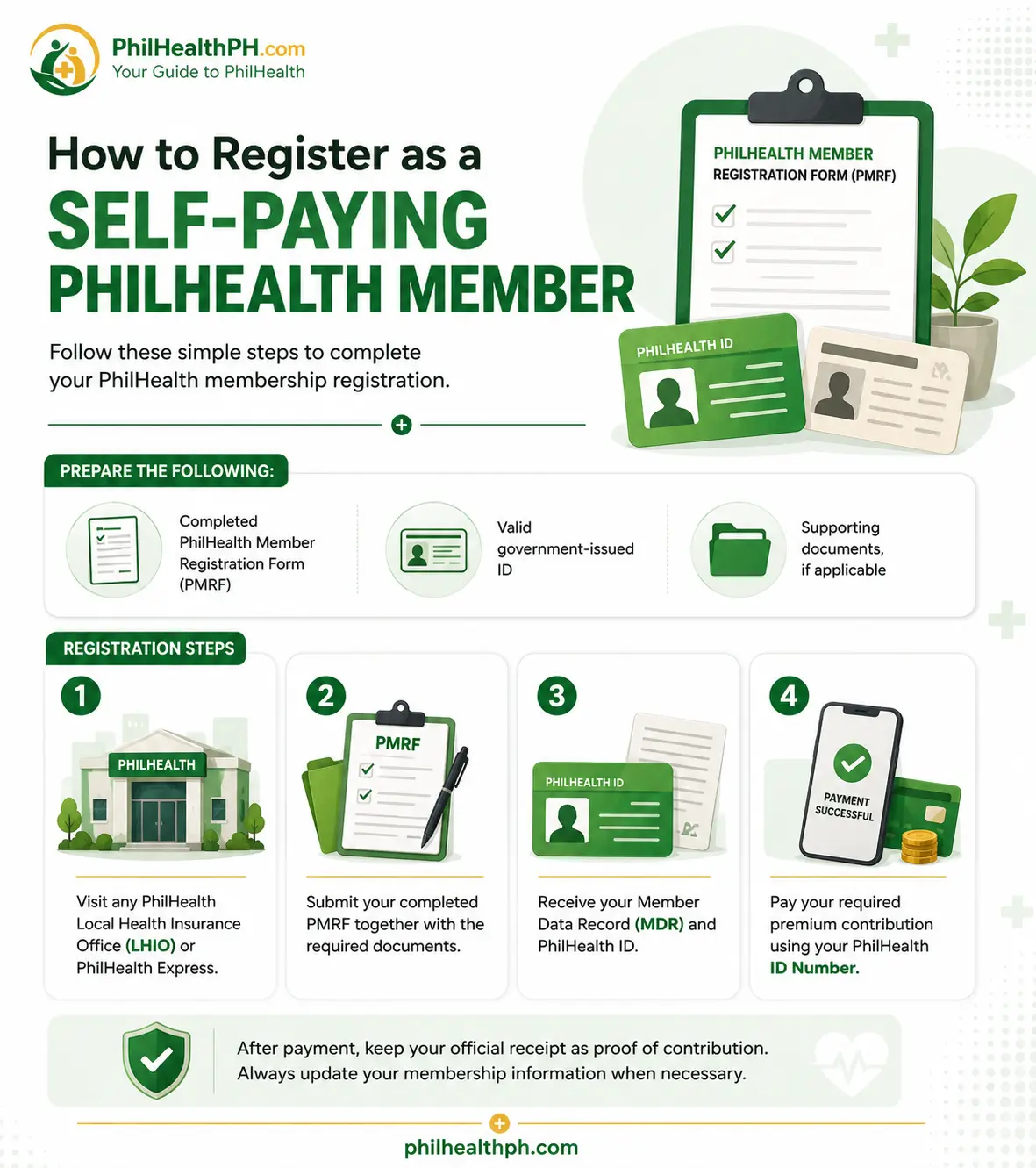
Registering as a self-employed member is a process you handle entirely on your own, either at a Local Health Insurance Office (LHIO) or through the online Member Portal. Here’s the general flow:
Download and fill out two copies of the PMRF (PhilHealth Member Registration Form), marking “Self-Earning Individual” under membership type.
Declare your monthly income in the space provided, since this figure becomes the basis of your monthly premium.
Attach your proof of income and valid ID to the form.
Submit at your nearest LHIO, or complete the process through the online portal if you’re registering electronically.
Wait for your PhilHealth Identification Number (PIN), which typically arrives by email within a few working days once your application is verified.
Switching From Employed to Self-Employed
If you’re leaving a company job to freelance or start a business, you don’t need a new PhilHealth account. Bring your existing PIN and old Member Data Record when you update your membership type at an LHIO, so PhilHealth links your new self-earning status to your existing record instead of creating a duplicate. This step matters because a duplicate PIN can cause your old contribution history to disappear from view when you check your record later, which then complicates a benefit claim. For the general registration process most members go through, our PhilHealth Online Registration guide covers getting your PIN step by step.
Requirements for Self-Employed PhilHealth Registration
Self-employed and freelance applicants need a slightly different document set than an employed member does, mainly because there’s no payslip to prove your income.
|
Requirement |
Notes |
|---|---|
|
Two copies of the PMRF |
Marked “Self-Earning Individual” |
|
Valid government-issued ID |
Passport, driver’s license, UMID, or similar |
|
Proof of income |
DTI registration, Mayor’s Permit, latest ITR, certificate of engagement, or a notarized affidavit of income |
|
PSA birth certificate |
Usually required for first-time registrants |
|
Old PIN or MDR |
If you were previously employed or registered under another category |
If you don’t yet have formal business documents, a notarized affidavit of income is generally accepted as a starting point, and you can update it later once you have an ITR or business permit. For the complete document checklist across every membership type, see PhilHealth Requirements guide.
How Much Is the PhilHealth Contribution for Self-Employed Members?
Self-employed members pay the full 5% premium on their declared monthly income, with a floor of ₱10,000 (minimum ₱500 monthly) and a ceiling of ₱100,000 (maximum ₱5,000 monthly), since there’s no employer to split the cost with. For example, declaring ₱30,000 in monthly income puts your contribution at ₱1,500 per month, paid entirely out of your own pocket. This is the same rate schedule that applies to every direct contributor in 2026, just without the 50/50 split employed members enjoy.
Because this figure directly affects your budgeting and your eligibility during a claim, it’s worth reviewing the complete rate table, past-year comparisons, and computation examples in our PhilHealth Contribution guide rather than guessing your bracket.
How and When to Pay Your Contribution
Self-employed members can pay monthly, quarterly, semi-annually, or annually, whichever schedule fits their cash flow, as long as the total for the year adds up to the correct amount based on declared income. There’s no single universal due date the way employers face a monthly remittance deadline; instead, your payment window depends on which period you’re settling and how far in advance you choose to pay.
Many members prefer paying a quarter or a full year ahead, especially if their income is seasonal, so a slow month doesn’t create a gap right before they need to file a claim.
Paying Online as a Self-Employed Member
You can pay through accredited banks, GCash, Maya, over-the-counter payment centers, or PhilHealth’s Electronic Premium Remittance System. One detail that’s tripped up plenty of members recently: PhilHealth now requires you to generate a Statement of Premium Account (SPA) before paying online, since banks and e-wallets will reject a payment that doesn’t reference one.
Generate this first through the Member Portal, then use the reference number when paying through your chosen channel. Pay PhilHealth Online guide walks through each payment channel in detail, including screenshots of the process.
What Happens If You Pay Late?
Late payments for self-employed and voluntary members carry an interest charge, historically cited at around 1.5% per month, which is lower than the penalty employers face for failing to remit on time. Beyond the interest itself, the bigger risk is a coverage gap: if you don’t have enough qualifying contributions posted when you need to file a claim, your benefit can be delayed or denied even if you eventually catch up on payment. This is why many members set a recurring reminder rather than relying on memory, since there’s no payroll system nudging them the way an employer’s HR department would.
If you’ve fallen behind for a while, settling the deficit as soon as possible is usually simpler than waiting until you need to use your coverage.
Benefits You Can Claim as a Self-Employed Member
Once you’re registered and current on your contributions, you’re entitled to the same core benefits as any other direct contributor: inpatient hospitalization, surgical and non-surgical procedures, outpatient packages like the primary care program, dialysis coverage, and the Z Benefits package for catastrophic illnesses. Your declared dependents, such as a spouse or qualified children, are covered as well once properly added to your record.
Maternity Benefits for Self-Employed and Freelance Members
Self-employed and voluntary members generally need at least nine months of paid contributions within the twelve months before the expected delivery date to qualify for maternity benefits, compared to three months within six months for employed members. Because this window is longer for self-earning members, it pays to plan ahead if you’re trying to conceive or already expecting, rather than assuming a few months of payment will be enough.
Some reporting following 2026’s benefit expansion suggests eligibility rules may have shifted slightly, so confirming your specific status through the Member Portal or your hospital’s PhilHealth desk before your due date is a smart safeguard. Our dedicated Maternity Benefit guide covers coverage amounts and the full filing process.
Common Mistakes Self-Employed Members Make
Troubleshooting Registration and Payment Issues
If your online registration gets rejected, double-check that your name matches exactly across your PMRF, valid ID, and birth certificate, since even a missing middle initial can cause an instant disregard.
For a payment that isn’t showing up in your Contribution History, keep your official receipt or SPA reference number and follow up at your nearest LHIO instead of repeating the payment, since posting delays of a few banking days are common with third-party channels.
If a maternity or hospitalization claim gets denied over insufficient contributions, ask the hospital’s PhilHealth or CARES desk whether settling the deficit before discharge is possible, since some cases allow this depending on timing.
Tips for Freelancers and Self-Employed Members
Set a recurring calendar reminder for your contribution, since nothing will flag a missed month the way a payroll system would for an employee. Pay a quarter or a year in advance if your income swings seasonally, so a slow month never creates a coverage gap.
Keep both a physical and digital copy of every PMRF, receipt, and Statement of Premium Account you generate. Review your Member Data Record at least twice a year to catch any leftover trace of an old employed record before it causes a headache during a claim.
Frequently Asked Questions

I’m Dayon, and I run PhilHealthPH.com. I got tired of confusing, outdated instructions every time I had to deal with PhilHealth online, so I started writing the guides I wished existed — clear, current, and focused on actually getting the task done. Everything here is checked against PhilHealth’s official site and updated whenever their process changes.